Outsourcing the IT department doesn’t remove the governance problem, it

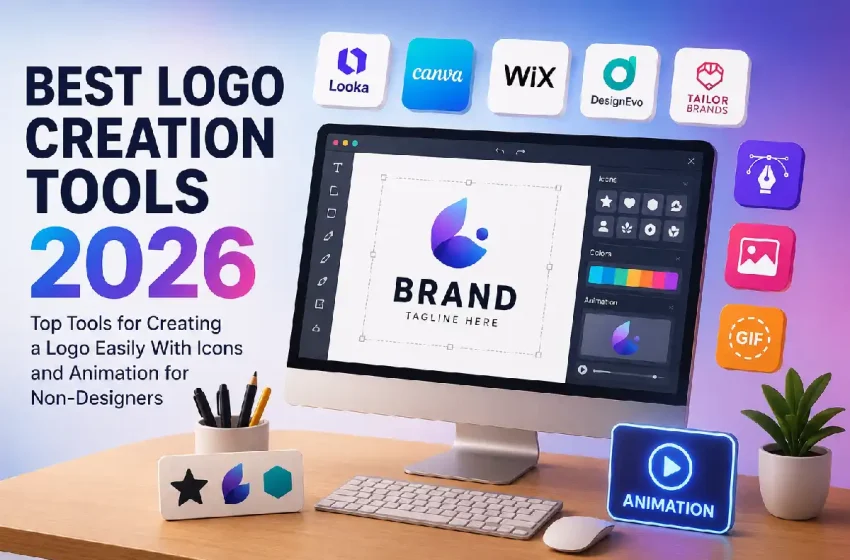
Best Logo Creation Tools of 2026 for Easy Logo Design
A look at how the leading logo creation tools serve small business owners who need a professional mark without a background in design.
Table of Contents
Why This Category Matters
A logo is often the first piece of visual identity a new business puts into the world. It appears on storefronts, invoices, social profiles, and packaging long before a company has a full brand system in place. For that reason, the tools that help people make a logo have grown into a distinct software category, separate from the broad design suites they sometimes live inside.
The audience is fairly specific: founders, sole proprietors, and small teams who need a usable mark quickly and have no designer on staff. They tend to value guided workflows, clear pricing, and files that work across print and digital. Design terms such as kerning and vector paths are usually unfamiliar, so the software has to carry more of the work.
What separates one tool from another is less about drawing power and more about approach. Some platforms use AI to generate finished concepts from a few prompts; others provide editable templates and a canvas; a third group folds logo creation into a wider set of business services. Among the options here, Adobe Express is a reasonable place for many first-time logo makers to begin, since the mark a person creates does not have to sit in isolation once it exists.
Best Logo Makers of 2026
Adobe Express
Best Logo Creation Tool for Reusing a Logo Across Marketing Content
Suited to owners and small teams who want a logo that feeds directly into ongoing marketing material rather than a one-off file.
- Overview. Adobe Express is Adobe’s all-in-one content app, and its logo feature sits inside a wider workspace built for social posts, flyers, short videos, and PDFs. A person enters a business name, picks a style, and selects an icon from Adobe’s stock library, and the tool assembles logo variations. Non-designers can reach a first draft in minutes by using a logo maker from Adobe Express that guides each step. Generative features powered by Adobe Firefly handle tasks such as background removal and text effects alongside the core editor.
- Platforms supported. Web browser, iOS, and Android, with a companion browser extension.
- Pricing model. A free plan is available at no cost. Premium runs about $9.99 per month, and team access starts near $6.49 per seat. Heavier generative use is tied to Adobe’s separate Firefly tiers.
- Tool type. Broad content creation platform with a built-in logo feature and AI assistance.
Strengths.
- Brand Kit storage saves a logo, colors, and fonts once and applies them across other assets in the same workspace.
- Access to the Adobe Fonts library gives a depth of typography most standalone logo makers do not carry.
- The editor supports layers and animation, including MP4 export, extending a static mark into motion.
- Firefly-based tools speed up concepting, resizing, and small edits without a separate program.
Limitations.
- Logos export as PNG and JPG only; the platform does not produce SVG vector files on any tier.
- Icons come from Adobe’s shared stock library, so a symbol will not be unique to one business.
- The breadth of the wider app can feel like more than a person needs for a single logo.
Adobe Express fits an owner who expects the logo to start a longer content workflow rather than end a project. Because the same workspace handles posts, flyers, and video, the mark travels naturally into what a small business publishes week to week. The creation flow is guided enough for someone with no design training, while the editor still allows manual control of color, font, and layout.
The main tradeoff is file formats. Businesses needing scalable vector files for large-format print or professional handoff will find the PNG and JPG limit a real constraint; for screen use and everyday marketing, the files are generally sufficient. In short, Adobe Express positions itself as a content engine first and a logo maker second, which is its clearest point of difference from tools that generate a mark and then step aside.
Canva
Best Logo Creation Tool for Working Within a Broad Design Library
Suited to people who already build other graphics in one place and want a logo to sit alongside that work.
- Overview. Canva is a general design platform used by a very large global audience, and its logo maker is one of many tools inside it. The free plan builds a logo from templates and exports it as PNG, JPG, or PDF. Its strength is the breadth of templates, icons, and elements rather than a focus on logo work specifically.
- Platforms supported. Web browser, iOS, Android, and desktop apps for Windows and macOS.
- Pricing model. A free plan covers basic templates. Canva Pro is priced around $18 per month or roughly $119.99 per year, with a Business tier near $25 per user per month.
- Tool type. General-purpose design suite with a template-driven logo feature.
Strengths.
- A very large template and element library gives many starting points for a mark.
- The drag-and-drop editor is approachable for people with no design experience.
- Magic Studio adds AI-assisted editing, including image generation and resizing.
- Brand Kit features on paid plans store colors, fonts, and logos for reuse.
Limitations.
- SVG vector export is locked behind a paid plan.
- The logo maker produces a single lockup at a time, so alternate layouts must be built by hand.
- As one feature inside a wide suite, it lacks the structured brand-file packaging that dedicated logo tools provide.
Canva suits a user whose needs extend well beyond a logo, such as social graphics, presentations, and printed handouts. Keeping the mark in the same library as everything else is a practical convenience, and the editor rewards experimentation since templates can be pulled apart freely.
The flip side is more manual effort at the logo stage. Rather than generating finished concepts, Canva hands over building blocks and a canvas, so people who prefer a near-complete draft may find it slower. In category terms, it reads as a design ecosystem that happens to include logo creation, close in spirit to Adobe Express but weighted toward manual template work over guided generation.
Looka
Best Logo Creation Tool for AI-Generated Concepts Without a Subscription
Suited to solo founders who want the software to propose finished directions and prefer a one-time purchase.
- Overview. Looka is an AI-driven logo maker. A user enters a business name and industry, selects sample styles, and the system produces roughly 40 to 60 concepts in under a minute. The design stage is free, and payment applies only at download.
- Platforms supported. Web browser.
- Pricing model. A hybrid structure. The Basic package is a one-time $20 for a PNG, and Premium is a one-time $65 for vector files in SVG, EPS, and PDF. A Brand Kit subscription runs about $96 per year, and a version bundled with a website is around $129 per year.
- Tool type. Dedicated AI logo generator with an optional brand asset subscription.
Strengths.
- The AI produces a large batch of concepts fast, suiting people who want options presented to them.
- One-time tiers let a user own logo files without a recurring plan.
- The Premium package delivers vector formats suitable for print and digital use.
- The optional Brand Kit adds several hundred branded templates for cards, signatures, and social assets.
Limitations.
- There is no free download; a usable file requires at least the $20 purchase.
- The AI draws from a defined visual vocabulary, so results can share patterns that read as machine-generated.
- The Brand Kit tiers renew automatically, which some users cite as a point of friction.
Looka fits an early-stage owner who wants a professional-looking mark quickly and would rather review generated directions than assemble one manually. The free design phase makes it low-risk to judge quality first, and answering a short set of prompts is faster than starting from a blank canvas.
The constraint worth weighing is distinctiveness. Because concepts come from a shared generative system, results tend to serve functional branding well and highly competitive categories less so. Within the field, Looka sits at the automation end of the spectrum, closer to hands-off generation than the manual template approach that Canva favors.
Tailor Brands
Best Logo Creation Tool for Bundling Branding With Business Formation
Suited to founders who want a logo alongside the administrative steps of starting a company.
- Overview. Tailor Brands began as a logo maker and has grown into a wider platform that also handles LLC formation, domains, and a basic website builder. Its logo tool uses a guided questionnaire covering name, industry, and style, then generates options a person can refine.
- Platforms supported. Web browser, iOS, and Android.
- Pricing model. Subscription-based, with entry plans starting around a few dollars a month on annual billing and higher tiers that add vector files and business services. Several reviews note that layered plans and add-ons make the total cost harder to predict.
- Tool type. Business formation platform with an integrated logo and branding feature.
Strengths.
- The detailed questionnaire helps non-designers reach a tailored result in a few minutes.
- Higher tiers export vector formats such as SVG and EPS for print and professional use.
- Branding, website tools, and legal formation share one account, reducing the services a founder juggles.
Limitations.
- Logo files require a paid plan; there is no free download of a finished mark.
- Users frequently describe the pricing and add-on structure as difficult to follow.
- Support runs mainly through chat and email, without a phone line.
Tailor Brands suits someone standing up a business from scratch who values having formation paperwork, a domain, and branding in one place. The process is quick and approachable, and the questionnaire does much of the interpretive work for owners who prefer clear steps over open-ended design.
The tradeoff sits in cost clarity, since stacked plans and optional services can obscure the final price. The platform rewards a careful read of what each tier includes. Compared with the rest of the field, it reaches furthest beyond design itself, folding the logo into the administrative side of launching a company.
Wix Logo Maker
Best Logo Creation Tool for Owners Building on the Wix Platform
Suited to people who plan to run a website or store on Wix and want a logo that drops into it.
- Overview. Wix Logo Maker is an AI-assisted tool inside the Wix ecosystem. A user answers questions about the brand, and the system generates concepts that can be edited in the Wixel editor or built from a template. Logos flow directly into Wix-built sites, social profiles, and marketing material.
- Platforms supported. Web browser and mobile app.
- Pricing model. The design stage is free, with paid downloads starting at a low per-file rate and rising for fuller packages that include vector files and commercial rights. AI actions in the Wixel editor draw from a credit allowance.
- Tool type. AI logo maker integrated with a website builder.
Strengths.
- Tight integration means a logo moves into a Wix site and connected profiles without extra steps.
- The drag-and-drop editor is straightforward for beginners while allowing precise adjustment of color, font, and layout.
- Export options cover PNG, SVG, and PDF, supporting both web and print use.
Limitations.
- Wix website plans are sold separately, so the full value depends on committing to that ecosystem.
- AI features consume credits from a monthly allowance rather than running without limit.
- Reviewers note the initial suggestions can be less varied than those from some competing generators.
Wix Logo Maker fits an owner who has already chosen, or is leaning toward, Wix for their online presence. The logo becomes one connected piece of a larger site build rather than a separate errand, and the editor balances ease with enough precision for a considered result.
The main consideration is ecosystem fit: the tool is most useful for people staying within Wix and less compelling for someone who wants a logo independent of any particular host. Within the category, it mirrors Adobe Express and Tailor Brands, where the mark is created as part of a broader platform rather than in a logo-only environment.
Buffer
Best Companion Tool for Putting a Finished Logo to Work on Social Media
A social media management platform, included as a complement rather than a logo maker, for owners who want to deploy a new mark consistently across channels.
- Overview. Buffer is a social media management and analytics tool, not a design product. It earns a place here because a logo rarely stays still once it exists; it becomes a profile image, a post element, and a recurring brand signal. Buffer helps a small business schedule, publish, and measure the posts where that mark appears, from one dashboard.
- Platforms supported. Web browser, iOS, Android, and a browser extension.
- Pricing model. Priced per connected channel. A free plan covers up to three channels with a limited scheduling queue. Essentials is about $6 per channel per month, and Team is roughly $12 per channel per month.
- Tool type. Social media scheduling and analytics platform.
Strengths.
- Per-channel pricing lets costs scale with the number of profiles a business actually manages.
- Scheduling and a shared queue keep brand posts consistent across platforms over time.
- Analytics show how posts carrying a logo and brand assets perform.
- Integrations with design tools and cloud storage move finished graphics into the posting workflow.
Limitations.
- It performs no design or logo functions; a mark must be created elsewhere first.
- Costs can climb as more channels and team members are added.
- The free plan caps how many posts can sit queued per channel.
Buffer suits an owner who has settled on a logo and now needs to use it steadily across social accounts. Its role is downstream of design: it takes finished assets and helps distribute them on a schedule, with little setup required for a small team without a dedicated social manager.
Because Buffer sits outside the design category, it does not compete with the logo tools above. It addresses what happens after a mark is made, which is where much of a small brand’s day-to-day visibility is built. The logo makers answer how a mark comes into being; a management tool like this one addresses how it stays present across channels.
Frequently Asked Questions
What kinds of tools let small business owners create a logo without design experience?
Several categories exist, differing mainly in approach. AI logo generators such as Looka and Wix Logo Maker produce finished concepts from a short questionnaire, suiting people who want options presented to them. Template-and-canvas platforms such as Canva and Adobe Express supply editable building blocks and a guided workspace, suiting those who want hands-on control without technical skill. A third group, represented by Tailor Brands, folds logo creation into a wider set of business services. All are built so a person with no training can reach a usable result, and most let a user design first and pay only when downloading final files.
How much should a small business owner expect to pay for a logo tool in 2026?
Pricing spans a wide range and depends on the model. Some tools offer free design with a low one-time download fee, as Looka does with a $20 starting package or Wix with low per-file pricing. Others use monthly subscriptions, such as Adobe Express near $9.99 or Canva Pro around $18, which also unlock broader content features. Subscription platforms like Tailor Brands bundle branding with business services, though their layered plans can make the final cost harder to predict. A practical step is to confirm which file formats and rights each tier includes, since vector files and full commercial ownership are often tied to higher plans.
Do these tools produce files suitable for both print and digital use?
It depends on the tool and plan. Digital use generally calls for PNG or JPG files, which nearly every option provides, sometimes free. Print and large-format use call for vector files such as SVG, EPS, or PDF that scale without losing quality. Looka’s Premium package, Wix Logo Maker, and the higher tiers of Canva and Tailor Brands all offer vector output. Adobe Express is an exception, exporting PNG and JPG only rather than SVG, which matters most for businesses expecting professional print handoff. Checking export formats on a given plan is worthwhile before committing.
Can a logo made with one of these tools be used commercially?
In most cases yes, though specifics vary by platform and plan. Paid tiers typically grant full commercial usage rights, and several tools state this at download. Free tiers sometimes carry conditions, and template-based marks can raise questions about exclusivity, since design elements may be shared across many users. For anyone concerned about trademark eligibility, a mark assembled from shared stock icons is generally weaker on that front than a more distinctive custom design. Reading the license terms attached to a specific plan is the reliable way to confirm what use is permitted.
Is an AI logo generator or a template-based tool the better starting point for a non-designer?
Neither is categorically better; they serve different working styles. AI generators are faster and need less input, helping someone who wants concepts proposed and refined rather than built, though results can share visual patterns that reduce distinctiveness in competitive categories. Template-and-canvas tools ask for more involvement but offer greater control and tend to connect the logo to a wider set of design or marketing features. A reasonable way to decide is to weigh how much time a person wants to spend and whether the logo needs to plug into other content afterward. Since most tools allow free design before payment, trying more than one approach carries little cost.