
Outsourcing the IT department doesn’t remove the governance problem, it


How to Find Hazevecad04 Mexico: It’s a Fake Scam
You’ve been searching for Hazevecad04 for a while now. Maybe you spotted the name on a tech forum, or a friend sent you a link to a “complete guide.” You clicked through ten different websites — all of them praising the software’s 3D modeling capabilities, listing precise hardware requirements, describing a sleek interface. And yet? No download link. No official webste. Nothing that actually works.
That’s not a coincidence. There is no credible evidence that Hazevecad04 is a real, supported software product.
It appears to be a fabricated name — a phantom keyword likely created by automated content farms to flood search results with low‑trust reviews. The goal isn’t to help you find good CAD software. It’s to keep you clicking through pages that may try to serve malware, harvest your data, or farm ad revenue off your confusion.
This guide breaks down how the scam appears to operate, why the Mexican SERP is saturated with these pages, what security risks you could be exposed to, and which verified CAD tools you should actually be using.
Table of Contents
Key Takeaways
- Is Hazevecad04 real software? → There’s no clear evidence of a legitimate developer, company, or product behind the name. Everything visible points to it being manufactured by spam networks.
- Can I download it anywhere? → There’s no trustworthy official download. Any .exe file using this name should be treated as highly suspicious and potentially maliciou
- Why do dozens of sites review it? → Low‑quality and likely AI‑generated “guides” are being published at scale to capture search traffic, and some of them may be used to distribute malicious payloads.
- Am I at risk? → If you clicked download links from sites promoting Hazevecad04, run a full malware scan immediately.
- What should I use instead? → AutoCAD, FreeCAD, SketchUp, or Blender — all verified, all real.
What Is Hazevecad04? (And Why You Can’t Find It)
Hazevecad04 behaves like a non‑existent software product — a phantom keyword very likely manufactured by AI content farms and programmatic SEO networks.
There is no verifiable developer, company, official website, or trustworthy downloadable application clearly tied to this name.
Sites claiming to review or offer downloads of Hazevecad04 show strong signs of being part of a coordinated low‑trust content network that may be used to distribute malware or generate deceptive ad revenue.
That definition probably isn’t what you expected to read. But it reflects what can currently be verified from publicly available evidence.
In researching this guide, I tried to trace Hazevecad04 back to a real product by looking for a developer website, corporate registry entries, open‑source repositories, and genuine user discussions. None of those checks turned up a credible, long‑standing software project behind the name.
The Phantom Keyword Phenomenon

Here’s how it works.
Bad actors often deploy automated scripts on low‑traffic forums, compromised Reddit threads, and regional Q&A platforms.
These scripts drop nonsensical alphanumeric strings — Hazevecad04, klupzo333, bulluduck42793, jibomozill065 — into conversations about software.
Once a term like this accumulates enough mentions, autocomplete systems can start generating search suggestions around it organically.
And that‘s when the second wave begins. AI content generators extract technical language from proper CAD documentation which includes words such as “parametric modeling,” “DWG file compatibility,” “cross-platform functionality” and combine it to produce entire articles that appear to be authentic reviews of software.
From the point of view of a search engine crawler looking for semantic consistency and entity relationships these pages come across as superficially authoritative. When “Hazevecad04” consistently appears alongside real industry terms, algorithms may begin treating the keyword as if it were a legitimate entity.
The result? A SERP full of convincing lies.
How Programmatic SEO Creates Fake Software
This isn’t a random hoax. It matches patterns of systematic attacks on long‑tail search visibility, and Google’s spam policies describe this kind of behavior as “scaled content abuse” — generating large volumes of pages primarily to manipulate rankings rather than help users.
So why does it work? Because many of the current top‑ranking pages visibly reinforce each other. A user sees nine separate websites describing the same software with the same features and the same system requirements.
That kind of cross‑referencing creates the appearance of consensus. Most people trust the collective — and that’s exactly what the spam network is counting on.
Debunking the Fake Features of Hazevecad04 on PC
Every fake review follows the same template. Once you see the pattern, it’s impossible to miss.
The 3D Modeling and 2D Drafting Myth
Multiple sites claim Hazevecad04 handles “intricate mechanical designs,” “structural architectural blueprints,” and “complex 3D rendering.”
These aren‘t even made up actual language from authentic documentation of CAD product such as Autodesk‘s documentation for AutoCAD and Revit is used in the description. This is why they are so authentic and realistic: Genuine language. Fake software.
Want proof? Try finding a single screenshot of the Hazevecad04 interface. A single exported DWG file. A single rendered model. One video demonstration. Anywhere.
If you search image and video platforms for interface screenshots, demo videos, or exported project files tied to Hazevecad04, you’ll struggle to find a single example from a real user or identifiable creator. You won’t — and that lack of any real‑world evidence is a major red flag.
The System Requirements Trap
This is the cleverest part of the scam. The fake pages list hyper-specific hardware requirements:
- OS: Windows 10/11, macOS Big Sur or Monterey, Linux Ubuntu 20.04 LTS
- Processor: Intel Core i7 or AMD Ryzen 7
- RAM: 16 GB minimum
- GPU: NVIDIA GTX 1050 or AMD Radeon RX 560
- Storage: 20 GB free SSD space
Looks legitimate, right? That’s because those specs closely resemble the system requirements of actual professional CAD suites. A designer or engineering student reads those numbers and thinks, “Okay, this is serious software.” That reaction is exactly what the scammers are aiming for.
But here’s what gives it away. Every site lists the exact same specs. Legitimate software companies update their requirements across versions. Different reviewers test on different hardware and report different experiences. When many supposedly unrelated websites publish essentially identical specifications, that’s unlikely to be independent verification — it strongly suggests a shared template.
Fabricated SaaS and Productivity Claims
Some pages go even further — inventing AI-powered scheduling tools, real-time collaboration dashboards, voice command integration, customizable dark modes, and API access for developers. One site (solutionhow.com) even lists fake keyboard shortcuts like Ctrl+Shift+T as if documenting a real application.
This is also where the pattern starts to look almost absurd. A single piece of software that handles CAD modeling, project management, team collaboration, AND has its own API?
That combination doesn’t match how real, well‑known tools are typically positioned or scoped. It describes a wish list assembled by an algorithm that scraped feature pages from AutoCAD, Notion, and Slack simultaneously.
Security Risks: Why Searching for Hazevecad04 Downloads Is Dangerous
You’ve already done the hard part — you’re reading this page instead of clicking a fake download link. However, if you‘ve been looking for a period of time, you‘ve probably already been to a few of these websites. And that‘s precisely when the trouble begins.
How the Circular Download Trap Works
Here’s the pattern that makes this particular scam so effective. Several of the top-ranking pages — techyflavors.com is a perfect example — explicitly warn you to “only download from the official website or trusted distributors.” Sounds responsible. Sounds protective.
Except there is no official website. There are no trusted distributors. The sites know this. They’re issuing a warning they know you can’t follow, which forces you to keep searching. You try one more site. Then another. Each one references the “official source” but never links to it. Your guard drops. Eventually, you click something you shouldn’t.
That’s the trap. The warning IS the weapon.
What Happens When You Run a Fake Installer

If you downloaded any .exe file associated with Hazevecad04, here are the kinds of threats you could be dealing with:
- Infostealers (RedLine, Vidar) — these scan your browser for saved passwords, crypto wallet keys, and active session cookies. The data gets exfiltrated within seconds of execution
- Ransomware — your project folders, client files, and local backups get encrypted. The attackers demand payment in cryptocurrency before they’ll (maybe) release the decryption key
- Browser hijackers — your default search engine and homepage get redirected to ad-farming domains, and removing the extension often requires a full browser reset
- Persistent backdoors — some installers create scheduled tasks that survive reboots, giving remote attackers ongoing access to your machine
Standard antivirus might not catch everything here. Because Hazevecad04 isn’t a known legitimate software title, your security tools won’t have a clean, trusted profile for its so‑called “installer,” and some malicious files can slip through behavioral detection gaps.
If you’ve run anything — anything at all — disconnect from your network and execute a deep scan using a tool like Malwarebytes or your enterprise endpoint protection suite. Don’t wait on this. According to CISA’s guidance on malware prevention, disconnecting from the network immediately is the critical first step to contain a potential infection before it spreads to other devices.
As far as malware prevention, CISA recommends that the absolute first step before an infection can spread to other devices is to disconnect from the network?
Why Is Hazevecad04 Trending in Mexico?
Good question. And the answer tells you a lot about how these spam operations work.
Programmatic SEO networks often test their campaigns in specific regional markets before scaling globally. Mexico’s search environment seems to offer a combination of factors that make it attractive for testing these campaigns: growing demand for affordable design tools among architecture and engineering students, a large Spanish-English bilingual user base that searches in both languages, and less saturated long-tail SERPs compared to the US or UK.
The keyword cluster strongly suggests this is a coordinated operation rather than an isolated hoax. Hazevecad04 appears alongside other fabricated terms in Mexican search data — klupzo333, bulluduck42793, jibomozill065, wevecad5.41.8. These strings share the same alphanumeric structure, target the same audience, and surface on the same network of guest-post farms.
Seeing one phantom keyword could be a fluke. Seeing several follow the same pattern strongly implies someone is running a playbook.
Real CAD Software You Can Actually Download and Use
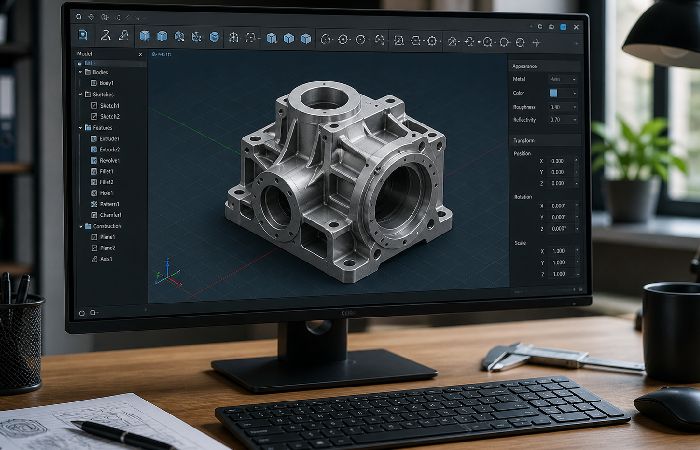
You came here looking for a design tool. The one marketed as Hazevecad04 shows no signs of being a real, supported product — but real tools do exist, and some of them are genuinely free.
| Software | License | Cost | Platform | Best For |
|---|---|---|---|---|
| AutoCAD | Commercial subscription | ~$250/month (free for students) | Windows, macOS, Web | Industry-standard 2D drafting, enterprise engineering |
| FreeCAD | Open-source (LGPL) | Free — forever | Windows, macOS, Linux | Parametric 3D modeling, mechanical engineering |
| SketchUp | Freemium | Free (web) / $399/year (Pro) | Web, Windows, macOS | Quick 3D visualization, architectural concepts |
| Blender | Open-source (GPL) | Free — forever | Windows, macOS, Linux | 3D modeling, rendering, animation |
| BricsCAD | Commercial (perpetual option) | ~$650 one-time | Windows, macOS, Linux | AutoCAD alternative with DWG compatibility |
For Professionals and Enterprise Teams
Since AutoCAD is still the industry standard (and if your office often shares DWG‘s with clients, contractors, or regulators there really isn‘t any substitute), students and teachers can get it free from Autodesk at their Education Community, a free one-year license (renewable), with no credit card needed.
BricsCAD is worth considering if you’re tired of subscription pricing. It offers a perpetual license option (buy once, own it) with strong DWG compatibility and an interface familiar to any AutoCAD user.
For Students and Budget-Conscious Users
FreeCAD is the most powerful free parametric modeling package out there. It has source, it runs on Linux, it does real engineering. The barrier to entry is higher than with SketchUp but the level of what it can do is substantially higher.
The free version of SketchUp online is fine for quick conceptual sketches inner spaces, quick architecture visualizations, 3D doodles. If you want not all parametric precision, and are shooting for a twenty-minute-from-idea-to-model workflow, go to here.
Though technically a 3D creation suite (modelling, sculpting, animation, rendering) than a CAD tool, Blender is truly world class for visualisation and rendering of product designs. And did I mention free?
How to Verify Any Software Before You Download It
Before you install anything unfamiliar on your workstation — CAD tool or otherwise — run through this quick set of checks. Which only takes a couple of minutes and can save weeks of cleanup if it all goes wrong. This careful, layered confirmation is what security organizations commonly advise, when they argueit is not a good idea to download a program from a site that has been established for less than a month.
First, you are able to run three straightforward “absence tests” to sanitycheck whether it is quite possible to be genuine software or maybe it‘s merely a phantom name.
- No code or project found. Search for ”[software name] GitHub” or ”[software name]” SourceForge. The good software will have some public repository, documentation or at least package listing. If no reference is found on a site you trust, it‘s a warning sign.
- No clear developer domain. Type the name plus “official site” into your browser. If you land on thin blogs, generic review pages, or random subdomains instead of a focused product site owned by a recognizable entity, that’s strike two.
- No real‑world user footprint. Check industry forums, Reddit communities, and professional groups. Real tools get mentioned in troubleshooting threads, workflow discussions, and “what are you using for X?” posts. If you only see templated “what is X” articles and zero genuine user talk, you’re probably looking at a ghost product.
Then back this up with a few more practical checks:
- Search for the developer on official registries. Check GitHub, SourceForge, or the developer’s corporate registration. If you can’t find a legal entity behind the software, stop right there
- Look for the product on review platforms. G2, Capterra, TrustRadius — if a “professional tool” has zero listings on major review aggregators, that’s a serious red flag
- Check for a verified digital signature. Right click on the installer file-> Properties-> Digital Signatures tab. Only authentic publishers such as Autodesk, Trimble, Dassault always sign their.exe files.
- Find independent video content. Real software gets reviewed on YouTube.
If you can‘t find a single video demonstration by an identifiable creator, the application probably doesn‘t exist.
- Verify the domain WHOIS data. Use a WHOIS lookup tool to check when the software’s “official website” was registered. Spam domains are typically registered days or weeks before the content blitz begins — legitimate software companies have domain histories spanning years
There isn‘t anything worthy of risking your box. Walk away if anything breaks any one of these.
In a real world scenario, it is almost never a good idea to just keep going when you haven‘t been able to find a valid developer domain, a valid download location, or real users/valid discussions about the software in any technical depth.
Frequently Asked Questions
Q: Is Hazevecad04 a real CAD software?
A: The short answer appears to be no, based on all currently available evidence. There’s no clearly registered company, no credible GitHub repository, no entry on major professional software directories, and no verifiable developer tied to the name.
Most “reviews” currently ranking in Google show hallmarks of being AI‑generated or templated content published on guest‑post farms and generalist blogs. The name is a fabricated keyword, nothing more.
Q: Is Hazevecad04 safe to download and install?
A: There’s no trustworthy official installer available. Any file you find claiming to be Hazevecad04 should be assumed high‑risk and potentially malicious — including infostealers, ransomware, or browser hijackers.
Do NOT run any executable associated with this name.
Q: Can Hazevecad04 open DWG files?
A: A product that shows no credible signs of existing as real software can’t open anything in practice. If you need a free DWG viewer, use Autodesk’s DWG TrueView — it’s free, it’s official, and it actually works.
Q: Where is the official Hazevecad04 website?
A: There’s no credible, official site you can reliably point to.
The spam pages constantly reference an “official website” and “trusted distributors” but rarely provide verifiable links — which is itself a major warning sign. This circular referencing is a deliberate tactic to keep you searching until you click something malicious.
Q: Why do so many websites review Hazevecad04 if it doesn’t exist?
A: Because automated AI content generators can produce large numbers of convincing‑looking articles very quickly. These programs scrape technical language from legitimate CAD documentation, plug it into templates, and publish across networks of low-quality blogs. The articles all seem to confirm another, providing users and search engines alike with a false sense of consensus which can deceive both. Google has deemed this to be ‘scaled content abuse’ and is covered in its spam policies.
Q: What are safe, verified alternatives to Hazevecad04?
A: It‘s really going to depend on your budget and what you‘re going to use it for. The best free options for a free, open source, parametric modeling program; free, 3D rendering and modeling program are: FreeCAD; AutoCAD (industry standard professional program; costly but free to students through autodesk education); Blender; SketchUp (quick 3D sketching program); All four of these programs has been reviewed, verified and millions use them worldwide.
Final Verdict: Protect Your Workstation
Hazevecad04 behaves like a ghost product. The search results around it are deeply misleading — and they appear to be engineered that way.
If you’ve been searching for how to find Hazevecad04, you now know why the search keeps failing. There’s no software to find, no download to locate, and no real version available—on PC or online.
Much of the first page of results for this query — aside from a handful of debunking articles — appears to be low‑quality or AI‑generated content that could waste your time and, in some cases, expose you to scams or malware.
Here’s what to do right now:
- If you clicked any download links: Disconnect from your network right away. Perform a thorough scan of your system using your anti-virus software plus something else (e. G. Malwarebytes). Search through your browser extensions for anything unfamiliar to you and delete it.
- If you need CAD software: Go directly to autodesk.com, freecad.org, or sketchup.com. Download from the official source. Verify the digital signature before installation.
- If a colleague sent you a link about Hazevecad04: Send them this article. Seriously. They need to know before they download something they’ll regret.
Reliable design work requires reliable, verified tools. Don’t compromise your workstation — or your client data — chasing a keyword that was engineered to deceive you.
If you follow the verification steps in this guide and stick to established CAD vendors and open‑source projects, you can safely replace Hazevecad04 with tools that are actually supported and widely used.
About the Author
Abdul Rahman is a content strategist and digital marketing expert with over 4 years of experience writing researchbased articles from a variety of niches including health, beauty, technology, and online marketing. He‘s passionate about translating difficult and“clinical“subjects into easytounderstand and actionable blueprints so the reader is confident they are making the right decision while not being overwhelmed with technospeak.
Published by: [www.technologyies.com], a quality editorial site focused on providing people-first, reliable and factual content to assist users in learning, comparing and making informed decisions on their day-to-day activities.