



Malware Analysis Techniques: A Practitioner’s Guide (2026)
In each of these example, what is behind those pictures is one vital question: what this malware do exactly?
Behind each of these scenarios sits a single critical question: what does this malware actually do?
Techniques for malware analysis provide security teams the approach to that question systematically, securely, and in an amount of detail that allows for true defenses. But with attack complexity escalating (fileless malware, AI-made polymorphic code, sandbox-aware payloads), knowingwhichprocedure to chooseandwhen makes all the difference in good analysis that can be useful or a drain on resources.
This manual dissects all the essential malware analysis techniques leveraged by today s professional 2026 from fast static triage to advanced reverse analysis with real tool head-to-heads, a coherent analysis flow, and focused coverage of the contemporary threats most DIY guides overlook.
Designed for:SOC analysts, incident handlers, threat researchers, security engineers, and students of security preparing for hands-on roles.
Table of Contents
Key Takeaways
- What are malware analysis techniques?-> These are approaches used to analyze malware in a systematic manner to further understand its operation, source and effects. These are classed into static, dynamic, hybrid and advanced.
- In which order should I use techniques? -> Just static triage always use it first, it is fast and allows for quick IOC extraction, then if needed go to dynamic and finally reverse engineering.
- What is changing in 2026? ->Fileless malware, and sandbox aware payloads increase the significance of memory forensics and hybrid analysis for many environments.
- The best free tools to get started: -> Ghidra (reverse engineering), CAPEv2 (sandboxing), Volatility 3 (memory forensics), YARA (pattern matching)
- How does technique relate to one another-> Run through 5-stage Layered Analysis Pipeline: Triage->Static-> Dynamic-> Deep Anlysis->Reporting
What Is Malware Analysis?
Malware analysis involves the study of malicious programs with a view to discovering details about a malware‘s capabilities, intentions, origin, source, and operation in order to establish the nature of its threat and to determine how best to react to its presence.2 It provides information that can be used by security teams to formulate detection signatures, extract indicators of compromise, and shape incident response decisions.
The practice sits at the intersection of incident response, threat intelligence, and detection engineering. Without it, security teams are limited to signature-based detection — a model that fails against any previously unseen threat.
Malware analysis also feeds directly into the broader defense lifecycle. As outlined in NIST’s Guide to Malware Incident Prevention and Handling (SP 800-83), effective malware incident response depends on the ability to analyze, contain, and eradicate threats using structured methodologies.
Three practical outcomes define successful analysis:
- Extraction using the IOC stripping hashes, IPs, domains, registry keys and file paths that can be used to identify the organization
- Behavioral understanding–incomparable ways that it maintains persistence, communicates with other malware, elevates its privileges, and secretes data.
- Creation of detection rules mapping the results of an analysis into YARA rules, SIEM queries and EDR/XDR detection logic.
Core Malware Analysis Techniques
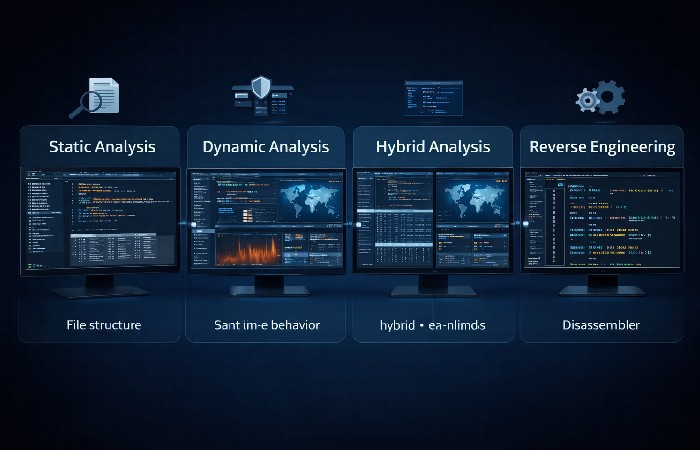
Four foundational techniques form the backbone of modern malware analysis. Each serves a different purpose, carries different risks, and works best at different stages of an investigation.
Static Analysis
Tatic analysis involves looking at a suspicious file without actually running it. To do this an analyst would look at file structure, file metadata, strings, import tables and patterns in the code to determine what the malware does.
How it operates: We load the file into analysis tools that read its internal structure. With Windows executable files we look at the PE headers, what system libraries it is importing (networking related functions are likely to have command and control connections; encryption libraries can betray ransomware) and we search for static strings such as URLs, IP addresses or filenames.
What it reveals:
- File hashes (MD5, SHA-256) for threat intelligence lookups
- Compile timestamps and original filenames
- Imported API functions that suggest capabilities
- Embedded URLs, IP addresses, and registry key references
- Packer or obfuscation signatures
Key tools:
- PeStudio — lightweight PE file analysis for rapid Windows binary triage
- Detect It Easy (DIE) — identifies packers, compilers, and obfuscation methods
- YARA — pattern-matching engine for writing custom detection rules
- strings / FLOSS — extracts readable text and deobfuscated strings
Limitations: Static analysis doesn‘t work with packed, encrypted, or very complex obfuscated code. “More advanced” authors of malware plan for static inspection by frequently packing payloads, encrypting strings, and using multi-stage loaders. When static triage bottoms out, the process escalates to dynamic analysis.
Dynamic Analysis
Dynamic analysis runs the malware in a safe, isolated environment, such as a sandbox, and observes its behavior in real-time. It shows precisely what the code intends to do, rather than what it appears to have the capability of doing.
How it works: The sample runs inside a virtualized environment that mimics a target operating system. Monitoring tools capture every system interaction: file creation, registry modification, process spawning, network connections, and API calls. Modern sandboxes map observed behaviors directly to the MITRE ATT&CK knowledge base, providing immediate tactical context.
What it reveals:
- Mechanisms of persistence addition to run keys in registry, scheduled task, addition to startup folder etc.
- Network activity DNS queries, HTTP/HTTPS callbacks to C2 servers, data exfiltration attempts
- Process behavior child process creation, injection into legitimate processes, privilege escalation.
- File system changes — dropped payloads, modified configurations, encrypted files
Key tools:
- ANY.RUN — cloud-based interactive sandbox with real-time behavioral reporting
- CAPEv2 — open-source sandbox evolved from Cuckoo, supports automated config extraction
- Process Monitor (ProcMon) — Sysinternals utility for granular file, registry, and process monitoring
- Wireshark — network packet capture and analysis
The sandbox evasion reality: The following are the harsh truths that most guides conveniently skip: sandbox evasion has become an essential feature of advanced malware. They look for VM artifacts (virtual hardware ids, low RAM, wasted mouse cursor, disabled sound), debugger indication, and time triggers. If the report says no issues, the file may simply have paused to win.
For mitigation, considering the high value sample, utilizes a bare-metal analysis environment, mock the user interaction(mouse and keyboard), and compare results of the sandbox with the static analysis.
Hybrid Analysis
Hybrid analysis combines static and dynamic techniques into a single workflow to overcome the limitations of each individual approach.
When to use it:
- Static analysis identifies suspicious imports or obfuscated code, but you can’t determine the actual payload without execution
- Dynamic analysis shows network callbacks, but you need to reverse the communication protocol from the code
- The sample uses multi-stage loading — static analysis reveals the loader, dynamic analysis triggers the payload download
Practical workflow:
- Run static triage to extract initial IOCs and identify packers
- Execute in a sandbox to observe behavioral patterns
- Capture memory dumps during execution
- Apply static analysis to dumped memory to inspect decrypted payloads
- Correlate static and dynamic findings into a unified report
Hybrid analysis is not a separate methodology — it’s the disciplined integration of both approaches. Most professional analysts default to hybrid workflows because real-world malware rarely yields its full picture to either technique alone.
Reverse Engineering
Reverse engineering: Permits a more in-depth inspection of a malware sample by unassembling it or decompiling it. Examining at this level gives you the minimum knowledge of what the malware does on the instruction level (lowest, most time-consuming analysis). This technique is used only where you need to fully understand the material‘s behavior.
When reverse engineering is necessary:
- Encrypted C2 communication protocols that sandboxing can observe but not decode
- Custom encryption routines in ransomware (needed to build decryptors)
- Attribution analysis requiring code-level comparison with known threat actor toolkits
- Packed or multi-stage malware where automated unpacking fails
Key tools:
- Ghidra — free, open-source reverse engineering platform developed by the NSA; includes a powerful decompiler supporting multiple architectures. NSA’s open-source Ghidra platform has become the standard entry point for most analysts.
- IDA Pro — the commercial industry standard; offers superior pseudocode generation for complex control flows
- x64dbg — open-source debugger for stepping through code execution on Windows
- WinDbg — Microsoft’s debugger, essential for kernel-mode analysis
When it‘s overkill: If static triage/sandboxing do what you need know the IOCs, have the behavior, can write the rules then there is no upside to reverse engineering the entire binary.
Advanced Techniques for Modern Threats
The threat landscape has shifted. Static and dynamic analysis remain foundational, but three advanced techniques address threats that traditional approaches struggle with.
Memory Forensics for Fileless Malware
Fileless malware not write to disk as they only exist in RAM, making it untraceable by traditional static and dynamic analysis tools. The malware can take advantage of native system utilities (PowerShell, WMI, rundll32) called Living off the Land (LotL).
Volatility 3 — Standard Memory Forensics Workflow:
| Step | Plugin | Purpose |
|---|---|---|
| System info | windows.info |
Confirm OS version and kernel details |
| Process listing | windows.pslist / windows.psscan |
Identify suspicious or hidden processes |
| Process tree | windows.pstree |
Spot unusual parent-child process relationships |
| Command lines | windows.cmdline |
Detect encoded PowerShell, download cradles |
| Injection detection | windows.malfind |
Find RWX memory regions with no backing file — the primary indicator of code injection |
| Network connections | windows.netscan |
Identify C2 callbacks from suspicious processes |
| DLL inspection | windows.dlllist |
Check for DLLs loaded from unusual paths |
Key detection indicators:
- Memory regions marked
PAGE_EXECUTE_READWRITEwith no corresponding file on disk - Processes spawned by unusual parents (e.g.,
svchost.exespawned byexplorer.exe) - Encoded or obfuscated PowerShell commands in process arguments
- Network connections originating from processes that shouldn’t communicate externally
Behavioral Analysis and MITRE ATT&CK Mapping
Mapping raw analysis output “the malware changes registry key X and communicates with IP Y” to the MITRE ATT&CK framework for: turns technical observation into adversary tactics and techniques; lets defenders know what an attacker was trying to achieve; and highlights detection deficiencies.
Practical ATT&CK mapping workflow:
- specific behaviors during static/dynamic analysis (mods, network activity, processes)
- For every behavior, of course, include the applicable technique from the ATT&CK (e.g., process injection -> T1055; registry persistence -> T1547.001).
- For techniques in the ‘Other’ category, what tactic does it belong to? (e.g. Persistence, command and control, exfiltration)
- Check coverage — does your EDR/SIEM detect these specific techniques? If not, use ATT&CK’s Data Sources and Detection guidance to build new rules
- Report using ATT&CK IDs — standardized reporting enables cross-team communication and threat intelligence sharing
AI-Augmented Malware Analysis
Machine learning and AI are reshaping the triage and classification layer of malware analysis. Automated systems can process thousands of samples daily, flagging likely malicious files for human review.
Where AI adds value:
- Quickly categorise ing unknown samples on the basis of behavioral history similarity to known malware families
- Anomaly detection that detects deviations from the baseline system behavior.
- Automatic features extraction from PE headers, sequences of API calls and network flows.
Where AI falls short:
- Novel, targeted attacks with no training data analogs
- Adversarial ML — attackers can craft samples specifically designed to evade ML classifiers
- Context-dependent decisions that require understanding the business environment, not just the binary
AI augments human analysts — it does not replace them. Treat automated verdicts as recommendations, not conclusions.
Malware Analysis Tools Comparison
Choosing the right tools depends on your role, budget, and analysis depth requirements.
| Tool | Type | Cost | Best For |
|---|---|---|---|
| Ghidra | Reverse engineering | Free (open-source) | Deep code analysis without commercial licensing |
| IDA Pro | Reverse engineering | Commercial ($1,500+) | Professional teams needing mature, precise decompilation |
| ANY.RUN | Dynamic sandbox | Freemium (paid tiers) | Rapid interactive triage with minimal setup |
| CAPEv2 | Dynamic sandbox | Free (open-source) | On-premise analysis with full data control |
| Volatility 3 | Memory forensics | Free (open-source) | Fileless malware and memory-resident threat detection |
| PeStudio | Static analysis | Free | Quick Windows PE file triage |
| YARA | Pattern matching | Free (open-source) | Custom detection rule authoring |
| Wireshark | Network analysis | Free (open-source) | Capturing and analyzing malware network traffic |
| VirusTotal | Online scanner | Freemium | Multi-engine hash lookups and reputation checks |
Free vs. Commercial Tools — How to Choose
For individual analysts or students or budget-constrained teams, Ghidra + CAPEv2 + Volatility 3 + YARA offers a full professional-level toolset free. This set covers static analysis, dynamic sandboxing, memory forensics, and creation of detection rules.
In case of enterprise teams with a dedicated budget: IDA Pro + ANY. RUN + commercial EDR/XDR integration delivers best-of-breed workflows, improved support, and more complete integration with the existing security stack.
It shouldn‘t be “free or paid” it should be “what gaps am I missing in my current flow and which tool do I get to fill those gaps?”
The Malware Analysis Workflow: A Step-by-Step Pipeline
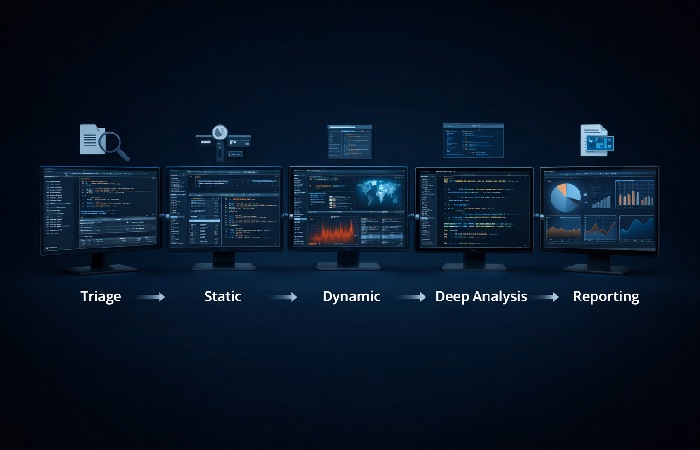
Techniques are not isolated activities. Effective malware analysis follows a structured pipeline where each stage informs the next.
The 5-Stage Layered Analysis Pipeline:
Stage 1 — Triage (5–10 minutes)
- Hash the sample (MD5, SHA-256) and check against VirusTotal / threat intelligence feeds
- If the hash is known → extract existing IOCs and skip to reporting
- If unknown → proceed to Stage 2
Stage 2 — Static Analysis (15–60 minutes)
- Run PeStudio or DIE to inspect file structure, imports, and packer status
- Extract strings with FLOSS for URLs, IPs, registry keys, file paths
- Generate YARA signatures from unique patterns
- Decision point: If static analysis provides sufficient IOCs and behavioral indicators → proceed to Stage 5. If obfuscation blocks meaningful analysis → proceed to Stage 3.
Stage 3 — Dynamic Analysis (30–90 minutes)
- Execute in a sandbox (ANY.RUN or CAPEv2) with full behavioral monitoring
- Capture network traffic (PCAP) for C2 analysis
- Document all persistence mechanisms and process behaviors
- Decision point: If behavioral data is complete → proceed to Stage 5. If encrypted communications, custom protocols, or multi-stage payloads need decoding → proceed to Stage 4.
Stage 4 — Deep Analysis (2–8+ hours)
- Reverse engineer critical code sections in Ghidra / IDA Pro
- Perform memory forensics on captured memory dumps (Volatility 3)
- Decode C2 protocols, extract encryption keys, analyze anti-analysis techniques
- Map all findings to MITRE ATT&CK techniques
Stage 5 — Reporting & Detection Engineering
- Document IOCs, behavioral indicators, and ATT&CK mappings.
- Develop and/or maintain YARA rules, SIEM queries & EDR detection logic
- Share the findings through the threat intelligence channels (STIX/TAXII formats)
The key principle: start shallow, go deep only when necessary. Most routine samples resolve at Stage 2 or 3. Reserving Stages 4 and 5 for complex or novel threats prevents analyst burnout and keeps throughput high.
Common Mistakes in Malware Analysis
Even experienced analysts fall into patterns that reduce effectiveness or introduce risk.
- Over-trust sandbox reports A “clean” sandbox report doesn‘t suffice: the file may harbor
- Sandbox-aware malicious code. Is that sandbox-aware malware? Always check on static results.
- Ditch the static triage. If you skip its step and go straight to dynamic analysis, you are wasting sandbox and analyst resources. Static triage yields a dead-simple IOCs that can be classified and reacted to. Save sand boxing for the real Internet running.
- Ignoring memory artifacts — Disk-based analysis misses fileless threats entirely. If your workflow doesn’t include memory forensics, you have a blind spot covering a growing percentage of modern attacks.
- Not mapping to ATT&CK — Analysis without ATT&CK mapping produces IOCs without context. IOCs tell you what the malware did; ATT&CK tells you why and what comes next in the attack chain.
- Failing to produce detection rules — The ultimate output of malware analysis isn’t a report — it’s improved detection capability. If analysis doesn’t result in new or updated YARA rules, SIEM queries, or EDR logic, its operational value is limited.
Who Should Learn Malware Analysis — And Who Should Not
Best for:
- SOC analysts moving beyond alert triage into deeper investigation
- Incident responders who need to understand threat behavior during active incidents
- Threat intelligence analysts producing tactical intelligence reports
- Security engineers building detection rules and improving defensive architecture
- Cybersecurity students preparing for hands-on blue team roles
Not for:
- Professionals seeking a quick-fix security solution — malware analysis is a skill that requires sustained practice and continuous learning
- Roles without access to isolated analysis environments — analyzing malware without proper containment creates unacceptable risk
- Teams expecting full automation — AI and sandboxes accelerate triage, but human judgment remains essential for complex threats
Final Verdict
Malware analysis techniques are not academic exercises — they are operational capabilities that directly determine how fast your team detects, contains, and recovers from security incidents.
Start with static triage. Build proficiency in dynamic sandboxing. Add memory forensics when fileless threats (inevitably) appear in your environment. Invest in reverse engineering only when simpler techniques leave critical gaps.
The most effective analysts aren’t the ones who master every technique in isolation. They’re the ones who build a connected pipeline — where each technique feeds the next, and every analysis session produces detection rules that make the next incident faster to resolve.
For practitioners starting or leveling up in 2026: Ghidra, CAPEv2, Volatility 3, and YARA give you a complete, free, professional-grade toolkit. The barrier is no longer tooling — it’s workflow discipline.
How to deepen your malware analysis skills
For those interested in making the leap from ad-hoc experimentation to a career-defining skill set, additional coursework can provide a framework for more research-savvy organizational mitigation efforts. For students who want an additional, non-academic focus on malware analysis and cyber-security, an online master ‘s in applied cyber-security provides a less unpredictable-and more practiced-version of this.
Frequently Asked Questions
Q: What is the difference between static and dynamic malware analysis?
A: Static analyzes a file‘s code, structure and metadata without running it. Dynamic runs a file within a ‘sandbox’ environment in order to observe what it actually does. Static analysis is usually quicker, with less risk; dynamic analysis reveals what the code actually does, which may have been hidden by complex obfuscation techniques. Both are used together in most pro workflows.
Q: What tools are used for malware analysis?
A: Some basic listed tools are Ghidra, IDA Pro (reverse engineering), ANY. RUN, CAPEv2 (sandbox analysis), Volatility 3 (memory forensics), PeStudio (static triage), YARA (detection rules), Wireshark (network analysis). Free tools Ghidra + CAPEv2 + Volatility are enough for most pro use cases.
Q: How long does malware analysis take?
A: It varies based on complexity. Static triage is 5–15min. Static sandbox analysis is 30–90min. Fully reverse engineering a complex sample may be 8+ hours or several days. You can expect most average samples to be classified static/dynamic during static/dynamic stages without requiring a detailed reverse engineering.
Q: What is sandbox evasion in malware analysis?
A: Sandbox evasion is the step where the malware determines that it is being analyzed in some type of virtual environment. Techniques for doing this include or most frequently which include looking for VM artifacts, monitoring mouse activity, and time-delayed execution. When such effort is detected, the malware closes down or simply executes some non-sensical code instead of revealing what it can do.
Q: Is malware analysis a good career path?
A: Yes, but for those willing to keep learning. Malware experts are very much in demand in many SOCs, incident handling/responder teams, threat intelligence organizations. Entry level requires networking knowledge, OS proficiency (windows and Linux), scripting (Python, powershell), GREM or GCIH certifications to prove thepecializedcapability.
Q: Can AI replace human malware analysts?
A: Not in 2026. AI speeds up triage and categorization in a flash, it will evaluate thousands of samples to identify promising risks. However, because of new attacks, targeted malware, hostile ML avoidance, and context-dependent resolution, we will still need to rely on human decisions. AI is a force multiplier.