



What is the IT Infrastructure of a Company?
Every digital experience — from sending an email to training a machine learning model — depends on IT infrastructure working seamlessly behind the scenes. Yet most organizations struggle to fully understand what IT infrastructure includes, how different models compare, and how to plan for the future.
Whether you are an IT manager modernizing a legacy data center, a business leader evaluating cloud migration, or a student learning the fundamentals, this guide breaks down everything you need to know. We cover the core components, explore the major infrastructure types, explain how management is evolving, and provide a practical planning framework you can use right away.
Table of Contents
Key Takeaways
- What is IT infrastructure? → The combined hardware, software, networks, and services that power an organization’s technology environment.
- What are its main components? → Servers, storage, networking devices, operating systems, cloud services, and security tools.
- What are the types? → Traditional (on-premises), cloud, hybrid, and hyperconverged.
- Why does it matter? → It enables digital operations, security, scalability, and business agility.
- How do you plan it? → Assess business needs, choose the right infrastructure model, integrate security from day one, and automate management.
What Is IT Infrastructure?
IT infrastructure is the foundation of hardware, software, networking components, and services that organizations use to deliver, operate, and manage their technology environments. It includes everything from physical servers in a data center to cloud-based platforms accessed over the internet. Without it, no application runs, no data moves, and no digital service reaches its users.
The concept has evolved dramatically over the past two decades. In the early 2000s, IT infrastructure meant rows of physical servers in on-premises data centers. Today, it spans virtualized environments, public and private clouds, edge nodes, and AI-optimized computing clusters.
According to widely cited analyst forecasts, worldwide IT spending is expected to reach trillions of dollars in the next few years, with IT infrastructure remaining a major share of that investment, as highlighted in Gartner’s global IT spending forecast.
Key Components of IT Infrastructure

IT infrastructure is built from six interconnected components. Each plays a distinct role, but they work together as a unified system.
Hardware (Servers, Storage & Endpoints)
Hardware is the physical layer. It includes:
- Servers — Process data, host applications, and manage network resources
- Storage devices — Hard drives, solid-state drives (SSDs), and network-attached storage (NAS) systems
- Endpoint devices — Laptops, desktops, tablets, and smartphones employees use daily
- Routers and switches — Direct data traffic across internal and external networks
Without reliable hardware, every other layer of infrastructure fails.
Software (Operating Systems, Middleware & Applications)
Software gives hardware its purpose. Key categories include:
- Operating systems (OS) — Windows Server, Linux, macOS — manage system resources and hardware
- Middleware — Connects applications to databases and other systems
- Business applications — CRM (Salesforce), ERP (SAP), CMS (WordPress), and collaboration tools (Slack, Zoom)
- Virtualization software — VMware, Hyper-V, and KVM create virtual environments from physical machines
Networking (LAN, WAN, Firewalls & Load Balancers)
Networking connects everything. Core elements include:
- LAN (Local Area Network) — Connects devices within a single location
- WAN (Wide Area Network) — Links offices across cities, countries, or continents
- Firewalls — Filter incoming and outgoing traffic to block threats
- Load balancers — Distribute workloads across servers to prevent bottlenecks
- DNS and network protocols — Translate domain names and govern data transmission
Data Centers & Facilities
Data centers are the physical homes for IT equipment. They include servers, storage arrays, networking gear, cooling systems, backup power generators, and physical security controls.
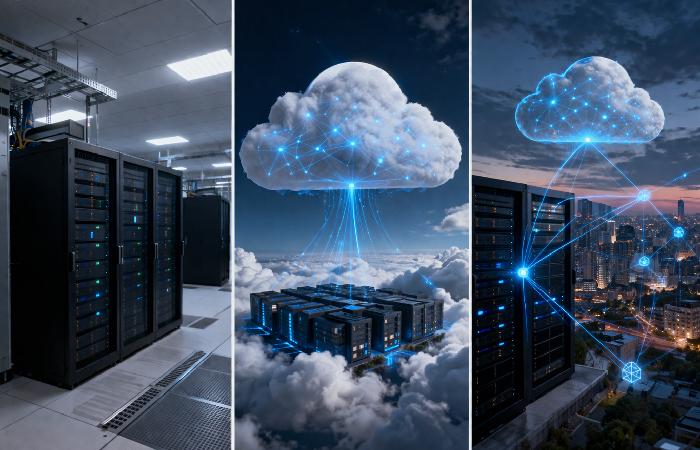
Organizations can operate their own data centers on-premises, lease space in colocation facilities, or rely entirely on cloud provider data centers.
Cloud Services (IaaS, PaaS, SaaS)
Cloud services deliver IT resources over the internet. The three primary models are:
- IaaS (Infrastructure as a Service) — Virtualized computing resources on demand (e.g., AWS EC2, Azure VMs)
- PaaS (Platform as a Service) — Development platforms with built-in tools (e.g., Google App Engine, Heroku)
- SaaS (Software as a Service) — Ready-to-use applications accessed via browser (e.g., Google Workspace, Microsoft 365)
As defined by the NIST cloud computing reference architecture, these service models form the standard framework for cloud delivery.
Security Infrastructure
Security is embedded across every layer. It includes:
- Authentication and authorization systems — Multi-factor authentication (MFA), single sign-on (SSO)
- Encryption protocols — TLS/SSL for data in transit, AES for data at rest
- Intrusion detection and prevention systems (IDS/IPS) — Monitor for threats in real time
- Endpoint protection — Next-generation antivirus (NGAV) and endpoint detection and response (EDR)
- Zero Trust architecture — Verifies every access request regardless of network location
As outlined in the NIST Cybersecurity Framework, a layered security approach across identify, protect, detect, respond, and recover functions is the industry standard.
Types of IT Infrastructure
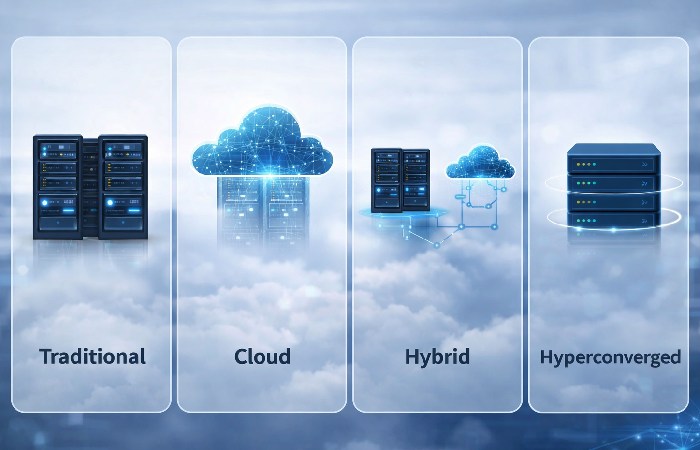
Organizations typically deploy one of four infrastructure models. The right choice depends on budget, scale, compliance requirements, and growth trajectory.
Traditional (On-Premises) Infrastructure
All hardware and software are owned, operated, and maintained within the organization’s own facilities. The company controls everything — from server procurement to cooling systems.
Best for: Highly regulated industries (healthcare, finance, government) requiring full data control.
Cloud Infrastructure
Computing resources are delivered by third-party providers (AWS, Microsoft Azure, Google Cloud) over the internet. Organizations rent capacity instead of purchasing physical equipment.
Best for: Startups, fast-scaling businesses, and organizations prioritizing agility over physical control.
Hybrid Infrastructure
Combines on-premises resources with public and private cloud services. Workloads are distributed based on sensitivity, performance needs, and cost.
Best for: Enterprises balancing legacy systems with cloud innovation. However, going “cloud-first” does not always mean “cloud-only” — hybrid models often prove more cost-effective at scale because they allow organizations to keep predictable, high-volume workloads on-premises while bursting to the cloud for peak demand.
Hyperconverged Infrastructure (HCI)
Bundles compute, storage, and networking into a single software-defined platform managed through one interface. It simplifies operations and scales by adding nodes.
Best for: Mid-size organizations seeking simplified management and reduced hardware sprawl.
Comparison: Infrastructure Types at a Glance
| Feature | Traditional | Cloud | Hybrid | Hyperconverged |
|---|---|---|---|---|
| Upfront cost | High | Low (pay-as-you-go) | Medium | Medium |
| Scalability | Limited | Near-unlimited | Flexible | Modular |
| Control | Full | Shared with provider | Split | Full (software-defined) |
| Maintenance | In-house | Provider-managed | Shared | Simplified |
| Best for | Regulated industries | Startups, agile teams | Enterprises | Mid-size orgs |
| Security model | Perimeter-based | Shared responsibility | Layered | Integrated |
How IT Infrastructure Works
IT infrastructure operates as a layered architecture where each layer depends on the one below it:
- Physical layer — Hardware (servers, storage, network devices) provides raw computing power
- Virtualization layer — Hypervisors abstract physical resources into virtual machines and containers
- Operating system layer — OS manages hardware resources and runs applications
- Application layer — Business software (CRM, ERP, databases) serves end users
- Service delivery layer — Networking, load balancing, and security ensure applications reach users reliably
Your IT infrastructure is only as strong as its weakest integration point. A high-performance server means nothing if the network bottlenecks, security gaps exist between layers, or software compatibility issues prevent applications from communicating.
This is why modern IT teams focus on end-to-end observability — monitoring every layer simultaneously to catch problems before they cascade.
Benefits of Modern IT Infrastructure
Scalability and Flexibility
Cloud and hybrid models let organizations scale resources up or down based on demand. This eliminates the need to over-provision hardware “just in case.”
Security and Compliance
Modern infrastructure includes built-in security controls — from encryption and MFA to Zero Trust policies. Compliance frameworks (SOC 2, HIPAA, GDPR) integrate directly into infrastructure management platforms.
Cost Optimization
Pay-as-you-go cloud models reduce capital expenditure. Hybrid approaches let organizations keep predictable workloads on less expensive on-premises hardware while using cloud for variable demand.
Business Agility and Innovation
DevOps teams use modern infrastructure to shorten development cycles. Containerized environments (Docker, Kubernetes) enable rapid deployment. AI and machine learning workloads run on GPU-accelerated infrastructure that was prohibitively expensive just five years ago.
IT Infrastructure Management
Managing IT infrastructure has shifted from manual server maintenance to automated, intelligent operations.
Infrastructure Monitoring and Automation
Tools like Prometheus, Grafana, Nagios, and Datadog provide real-time visibility into system health. Automated alerts and self-healing scripts reduce manual intervention and downtime.
AIOps and Intelligent Operations
AIOps (Artificial Intelligence for IT Operations) applies machine learning to analyze massive volumes of operational data. It identifies anomalies, predicts failures, and automates routine tasks — reducing mean time to resolution (MTTR) significantly.
Infrastructure as Code (IaC)
IaC tools like Terraform, Ansible, and Pulumi let teams define infrastructure through code rather than manual configuration. Benefits include:
- Version control — Track every infrastructure change like software code
- Reproducibility — Spin up identical environments in minutes
- Consistency — Eliminate configuration drift across development, staging, and production
- Speed — Provision infrastructure in minutes instead of weeks
IaC represents one of the most significant shifts in infrastructure management, yet most competitor guides barely mention it.
Modern IT Infrastructure Trends (2025–2026)
AI-Ready Infrastructure
AI workloads demand specialized hardware — GPU clusters, high-bandwidth networking, and massive storage. According to industry research, a significant share of global AI spending now goes into infrastructure components such as servers with embedded accelerators, networking, and storage.
Organizations building AI capabilities need infrastructure that can reliably support model training, real‑time inference, and data pipelines at scale.
Edge Computing
Edge computing pushes processing closer to where data is generated — factory floors, retail stores, autonomous vehicles, and IoT sensors. Instead of sending everything to a central data center, edge nodes process data locally for faster response times and reduced bandwidth costs.
Sustainable / Green IT Infrastructure
Energy-efficient data centers, renewable power sources, and carbon-aware workload scheduling are becoming strategic priorities. Organizations are adopting liquid cooling, optimizing server utilization rates, and choosing cloud regions powered by renewable energy.
How to Plan Your IT Infrastructure (Decision Framework)
Use this step-by-step checklist to plan or modernize your infrastructure:
- Assess current state — Inventory all existing hardware, software, and network components. Identify what’s outdated, underutilized, or at capacity.
- Define business requirements — What applications must run? What performance, uptime, and compliance standards apply?
- Choose your infrastructure model — Traditional, cloud, hybrid, or hyperconverged. Use the comparison table above as a starting point.
- Design for security from day one — Integrate Zero Trust principles, encryption, and access controls into the architecture — not as an afterthought.
- Plan for scalability — Build with growth in mind. Avoid solutions that lock you into a single vendor or rigid capacity.
- Automate management — Adopt IaC, monitoring tools, and AIOps to reduce manual overhead.
- Budget realistically — Include ongoing costs (licensing, maintenance, cloud consumption) alongside upfront investment. Hidden costs of cloud-only models often surprise organizations at scale.
- Document everything — Maintain architecture diagrams, runbooks, and disaster recovery plans.
Decision Matrix: When to Choose What
| Scenario | Recommended Model |
|---|---|
| Startup with unpredictable growth | Cloud |
| Regulated enterprise with legacy systems | Hybrid |
| Mid-size org simplifying data center | Hyperconverged |
| Government with strict data sovereignty | Traditional + Private Cloud |
| AI/ML-heavy workloads | Cloud (GPU instances) or Hybrid |
Common IT Infrastructure Mistakes to Avoid
- Ignoring integration points — Focusing on individual components without testing how they work together leads to fragile systems.
- Underestimating cloud costs at scale — Pay-as-you-go sounds affordable until consumption grows unchecked. Monitor and optimize continuously.
- Skipping disaster recovery planning — Backups are useless without tested recovery procedures. Test your DR plan quarterly.
- Over-provisioning “just in case” — Buying excess capacity wastes budget. Use auto-scaling and right-sizing tools instead.
- Treating security as an add-on — Security retrofitted after deployment is always weaker and more expensive than security built in from the start.
- Neglecting documentation — Undocumented infrastructure becomes tribal knowledge. When key staff leave, so does institutional understanding.
Who Needs IT Infrastructure?
Best for:
- Enterprises of any size running digital operations
- SMBs migrating from manual processes to digital tools
- Tech startups building and scaling software products
- Government agencies and educational institutions managing sensitive data
- Healthcare and financial organizations with strict compliance requirements
Not for:
- Virtually no modern organization operates without some form of IT infrastructure. Even a solo freelancer using Google Workspace relies on Google’s cloud infrastructure.
Final Verdict
IT infrastructure is not just a technical concern — it is the operational foundation of every modern organization. The right infrastructure model depends on your size, industry, compliance requirements, and growth trajectory.
Start by understanding your current state, choose the model that fits your reality (not just the latest trend), and build security and automation into the plan from day one. Whether you go fully cloud, stay on-premises, or adopt a hybrid approach, the goal is the same: reliable, secure, scalable technology that serves your business — not the other way around.
Frequently Asked Questions
Q: What is IT infrastructure in simple terms?
A: IT infrastructure is all the technology — hardware, software, networks, and services — that an organization needs to run its digital operations. Think of it as the foundation that supports every app, website, and digital service a company uses.
Q: What are the main components of IT infrastructure?
A: The six core components are hardware (servers, storage), software (OS, applications), networking (routers, firewalls), data centers, cloud services (IaaS, PaaS, SaaS), and security infrastructure (encryption, access controls).
Q: What is the difference between traditional and cloud IT infrastructure?
A: Traditional infrastructure is owned and maintained on-premises by the organization. Cloud infrastructure is hosted by third-party providers (like AWS or Azure) and accessed over the internet. Cloud offers more flexibility and lower upfront costs, while traditional provides greater physical control.
Q: Why is IT infrastructure important for businesses?
A: It enables every digital process — from employee communication and data storage to customer-facing applications and security. Without reliable infrastructure, businesses face downtime, data loss, and inability to scale.
Q: What is IT infrastructure management?
A: It is the practice of overseeing, maintaining, and optimizing all technology components. Modern management uses automation, AIOps, and Infrastructure as Code (IaC) to reduce manual effort and improve reliability.
Q: How much does IT infrastructure cost?
A: Costs vary widely based on the model and scale. On-premises setups usually require significant upfront capital expenditure, while cloud infrastructure uses an operational, pay-as-you-go model that can start relatively low and scale with usage. Hybrid approaches blend both cost structures and need careful planning to avoid surprises over time.
Disclaimer:
This guide is for general information only and may not reflect the latest changes in technology, regulations, or best practices. Always confirm important decisions with official documentation and qualified professionals.