


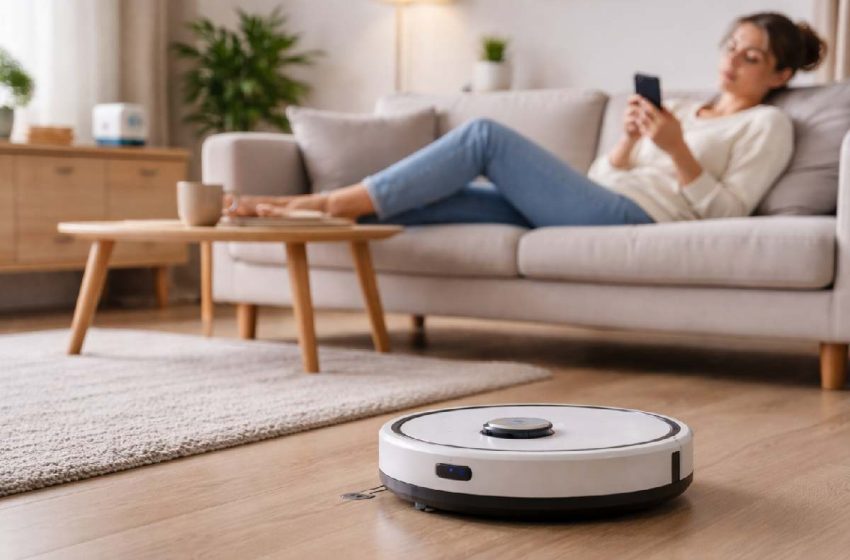
Smart Home Cleaning Devices: 2025–2026 Buying Guide
You spend roughly 6 hours every week cleaning your home. That’s over 300 hours a year — more than 12 full days — scrubbing, vacuuming, mopping, and dusting. And at the end of it, the floors still need another pass by Thursday.
Smart home cleaning devices exist precisely to take that time back. Not partially. Meaningfully.
But here is the part most buying guides skip: buying the wrong smart cleaning device wastes both your money and your time. A robot vacuum that gets stuck under your couch every other day, a mop combo that smears rather than cleans, or an air purifier that isn’t sized for your space — these are not rare edge cases. They are the most common complaints from real buyers.
Instead of listing every device and calling it done, this guide matches specific devices to specific homes — with total cost breakdowns, honest limitations, and a decision framework you can use before you open a single product page.
Think of this as your smart home cleaning devices buying guide, built to help you avoid expensive mistakes and pick what actually fits your space.
By the end, you’ll know precisely which device — or combination of devices — belongs in your home.
Table of Contents
Best Smart Home Cleaning Devices for 2025 (Quick Picks)
If you just want fast answers, here are the smart home cleaning devices most households should consider first:
-
Best overall robot vacuum‑mop for mixed floors: a flagship‑class Roborock combo unit with LiDAR navigation and active mopping.
-
Best for pet owners: a pet‑focused robot vacuum‑mop from Dreame or similar, with a tangle‑resistant brush roll and strong suction.
-
Best for mostly hardwood or tile: a premium Narwal‑style combo unit that prioritizes mopping quality over raw vacuum power.
-
Best for small apartments: a compact Eufy‑class combo robot with reliable mapping and a self‑cleaning dock at a mid‑range price.
-
Best budget robot vacuum under $300: a LiDAR‑equipped Roborock‑style model that focuses on accurate navigation and daily vacuuming.
-
Most underrated upgrade: a smart air purifier with H13 HEPA filtration and CADR sized correctly to your main living space.
What Are Smart Home Cleaning Devices? (And Why 2025 Is the Tipping Point)
| Smart home cleaning devices are internet-connected, sensor-equipped appliances that automate or assist household cleaning tasks — including vacuuming, mopping, air purification, and surface sanitization — with minimal human intervention. They connect to your smartphone via app, integrate with voice assistants like Amazon Alexa and Google Home, and learn the layout of your home over time. |
The difference between a standard appliance and a smart cleaning device is the intelligence layer: onboard sensors, mapping algorithms, AI-powered obstacle avoidance, and remote scheduling that turns passive cleaning into an automated home system.
The market is no longer niche. Industry analysts now estimate the global cleaning robot category in the multi‑billion‑dollar range, with growth projected well into the second half of this decade. 2025 is a genuine tipping point: prices have dropped significantly, navigation AI has matured, and the Matter protocol is finally making cross‑ecosystem compatibility practical instead of theoretical.
To put the price shift in context: LiDAR navigation—once mostly reserved for premium robots that cost well above $500—is now available on many mid‑range devices and even appears in occasional models below the $300 mark. Flagship-tier combo vacuums that launched above $1,500 two years ago now have functional equivalents at $600–$800. The performance-per-dollar curve has steepened faster in smart cleaning than in almost any other consumer tech category.
How Smart Cleaning Devices Actually Work — The Tech Behind the Automation
Understanding the technology is not optional for buyers in 2025. It directly determines which device is worth your money.
- Onboard Sensors are the foundation. Robot vacuums and mop combos use cliff sensors (to detect drop-offs like stairs), wall sensors (to navigate perimeters), and bump sensors (for obstacle detection). Premium models add camera arrays and structured light sensors for object recognition.
- Mapping Algorithms build a virtual floor plan of your home during the first one to three cleaning runs. This map is stored in the device and updated over time — enabling zone cleaning, scheduled runs, and ‘keep out’ zones you define in the app.
- AI Obstacle Avoidance is the capability that separates current-generation devices from older ones. Entry-level devices detect that something is in the way and stop or reroute. AI-equipped devices — like those running Roborock’s ReactiveAI — identify the type of obstacle (shoe, cable, pet waste, chair leg) and respond accordingly.
- App and Voice Control connects everything. Via the companion app, you set cleaning schedules, view the floor map, create no-go zones, check cleaning history, and receive maintenance alerts. Most 2025-era devices also integrate with Alexa and Google Home for voice command control.
- Smart Home Ecosystem and Matter Protocol is the layer most buyers overlook until it causes a problem. A Matter-certified device works across all major ecosystems simultaneously, without a hub — this is covered in full in the ecosystem section below.
LiDAR vs. SLAM Navigation — The Decision That Affects Your Entire Purchase
This is the most misunderstood technical decision in the robot vacuum market.
LiDAR (Light Detection and Ranging) uses a rotating laser mounted on top of the robot to scan the room and build a precise 3D distance map. It works in complete darkness, is highly accurate, and produces maps that update in near real-time as furniture moves.
LiDAR‑equipped devices more commonly start in the mid‑range price bracket, often around the $300–$400 tier and up, depending on brand and feature set.
SLAM (Simultaneous Localization and Mapping) uses onboard cameras and sensor fusion to build a map while navigating. It is less accurate in low-light conditions and tends to struggle more with furniture rearrangements. However, it is significantly cheaper to manufacture, which is why camera-SLAM devices dominate the sub-$250 segment.
| Practical verdict: If your home has consistent furniture placement and reasonable lighting, camera-SLAM at $200–$350 is sufficient. If you have a large home (over 2,000 sq ft), complex floor plans, or frequently rearrange rooms, LiDAR is worth the premium. You will notice the difference in mapping consistency after furniture moves. |
The Smart Home Ecosystem Layer — Matter Protocol and Why It Matters
Most buyers focus entirely on the device. Fewer think about ecosystem compatibility — and then regret it six months later.
In 2025, the relevant ecosystems are Amazon Alexa (broadest device support), Google Home (strong Android integration), Apple HomeKit (best for iPhone households, more privacy-focused), and Samsung SmartThings (strongest integration with Samsung appliances).
Matter is an open‑source smart home standard backed by Amazon, Google, Apple, and Samsung. A Matter‑certified device is designed to work across all major ecosystems simultaneously, often without a proprietary hub. Major robot vacuum brands have begun rolling out Matter support on select models; always confirm Matter compatibility on the current spec sheet before buying.
The 6 Categories of Smart Home Cleaning Devices Explained
Not every smart cleaning device does the same job. Understanding the categories before buying a specific model prevents the most common buyer mistake: purchasing a device that covers the wrong problem for your home.
1. Robot Vacuums — The Market Leader and the Right Starting Point
Robot vacuums are the most mature category in the smart home cleaning space. They navigate autonomously, map your floor plan, and vacuum on a schedule without manual involvement. The range spans from basic bump-and-navigate models under $200 to AI-navigating, self-emptying flagships above $1,000.
The self-emptying base station — a dock that vacuums debris from the robot’s dustbin into a sealed internal bag — is the single feature that most dramatically changes the ownership experience. With a self-emptying base, most users go 30–60 days between any manual interaction with the device.
What robot vacuums do well: Daily maintenance cleaning on hardwood, tile, LVP, and low-pile carpet. Pet hair. Dust. Crumbs. Scheduled cleaning without manual setup each time.
What they do not replace: Deep cleaning of high-pile carpet, edge cleaning in tight corners, cleaning on surfaces above floor level, or manual spot-cleaning.
2. Robot Mop and Vacuum Combo Units — The 2025 Standard for Mixed-Floor Homes
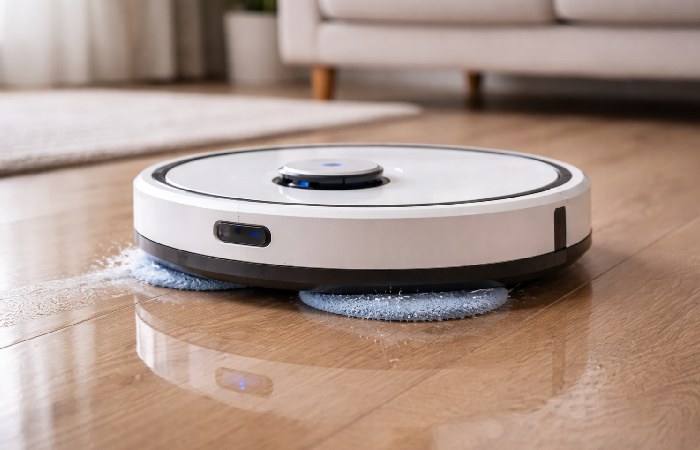
Combo units that vacuum and mop in a single pass are the fastest-growing segment in the smart cleaning market. The critical distinction to understand: there are two types of ‘combo’ units.
The first uses a passive damp cloth on the bottom — functional for lightly dusty floors, but not genuine mopping. The second uses active rotating mop pads with water pressure — this is actual mopping, capable of addressing sticky residue and dried-on spills.
If you have tile, hardwood, or LVP flooring covering more than 50% of your home, a combo unit with active mopping is the most efficient single-device solution. Most combo units either lift the mop pads automatically when they detect carpet, or require manual pad removal before transitioning to carpeted areas. Verify this capability before purchasing.
3. Smart Cordless Stick Vacuums — For When You Want Control in Your Hands
Not every cleaning task can be delegated to a robot. Spot-cleaning after cooking, vacuuming stairs, reaching underneath furniture — these are the use cases where a smart cordless stick vacuum remains necessary even in households that own a robot vacuum.
Dyson leads this category with their V15 and V16 Detect lines, which include laser dust detection that illuminates invisible particles, piezo acoustic sensors that measure particle size and count in real time, and HEPA filtration. Shark’s Stratos and Flex series offer competitive performance at lower price points.
Buying guidance: If you own a robot vacuum and plan to use the stick vacuum purely for supplemental tasks, a mid-range model ($200–$350) is entirely sufficient. The $500–$800 Dyson premium is justified primarily for households that use a stick vacuum as their primary cleaning tool.
4. Window Cleaning Robots — A Niche Category With Legitimate Use Cases
Window cleaning robots attach to glass surfaces via suction and navigate the window autonomously using a spray-and-wipe cleaning cycle. Hobot, ECOVACS Winbot, and Mamibot make the primary offerings in this space.
These devices work best on large, flat glass surfaces — floor-to-ceiling windows, sliding glass doors, glass shower enclosures. The Hobot 388 ($180–$220) is the most consistently reviewed entry point in this category: reliable suction, a practical spray nozzle, and an app-controlled cleaning path.
They are not effective on textured surfaces, window frames, or glass with severe buildup. This is a genuine purchase for the right home — not worth the investment for standard residential-sized windows that are easy to access manually.
5. Smart Air Purifiers — The Most Undervalued Device in This Category
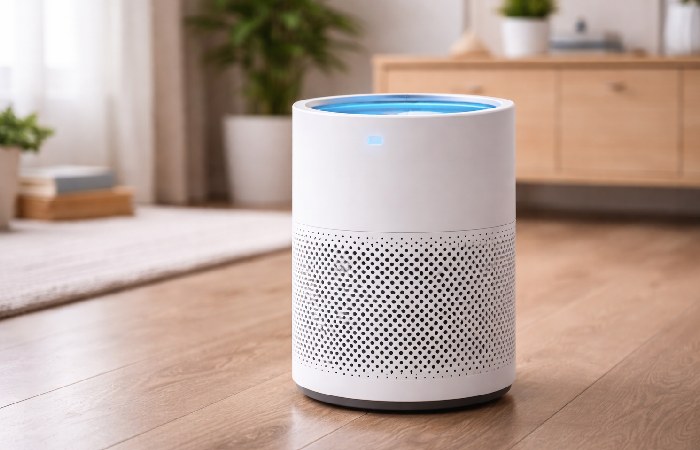
Smart air purifiers are the most consistently underestimated device in the smart home cleaning ecosystem, and the one with the most direct impact on health outcomes.
A smart air purifier with a true HEPA filter (H13 or H14 grade) removes 99.97% of particles 0.3 microns and larger — including dust mites, pollen, pet dander, mold spores, and some bacteria. Smart functionality adds auto-mode (the purifier monitors air quality via onboard sensors and adjusts fan speed automatically), scheduled operation, air quality history in the app, and smart home integration.
What to look for: What to look for: CADR (Clean Air Delivery Rate) relative to room size. A CADR of 250 CFM is appropriate for a room up to approximately 250 square feet. Buying an undersized purifier is one of the most common mistakes — it renders the device largely ineffective regardless of quality. Once you have the right unit, see our guide on boosting your air purifier’s efficiency to get maximum performance from it.
Key brands: Levoit, Dyson Pure series, Winix, Blueair, Coway.
For more background on how portable air cleaners affect indoor air quality, see the U.S. EPA’s guidance for home air cleaners.
6. UV Sanitizing Devices and Smart Trash — Micro-Categories Worth Knowing
UV-C sanitizing wands and smart trash cans round out the ecosystem but are supplemental purchases, not primary investments. For UV-C devices, verify the device operates at 253.7nm wavelength — the germicidal peak. Near-UV and visible-light devices marketed as ‘UV sanitizers’ produce minimal germicidal effect. Hold the wand 1–2 inches from the surface for 10 seconds per area for meaningful sanitization on countertops, cutting boards, and high-touch switches.
Smart trash cans from simplehuman ($180–$220) and Townew ($80–$130) automate bag sealing and odor control. Townew’s self-sealing liner system is convenient, though liner costs (~$25/pack) add up over time. Budget for both categories after your core floor cleaning and air quality needs are covered.
Top Smart Home Cleaning Devices in 2025 — Ranked by Use Case
| How we rate: Scores reflect a composite evaluation across five dimensions — navigation accuracy, real-world cleaning performance, smart ecosystem integration, maintenance burden, and long-term value. Ratings are based on published manufacturer specifications, independently verified performance test data from Vacuum Wars and aggregated verified buyer experience reports.. No brand paid for placement. |
Independent lab tests from sources like RTINGS consistently show that higher-end robot vacuums maintain day-to-day surface cleanliness between deep cleans far more effectively than relying on manual spot cleaning alone.
Note: Prices reflect typical market ranges. Always verify current pricing before purchase.
Best Overall: Roborock Saros 10R — Whole-Home Coverage, No Compromises
This flagship‑class Roborock combo unit represents the current high‑water mark for combined vacuum‑mop performance in real homes. It pairs advanced LiDAR navigation and AI obstacle avoidance with strong suction suitable for deep carpet cleaning and actively rotating mop pads that apply consistent pressure, so mopping feels genuinely effective rather than purely cosmetic.
Price range: typically in the high‑$1,000s | Rating: 9.4/10
| ✅ Best For
Homeowners with mixed flooring (hardwood, tile, and low-to-medium pile carpet) in homes between 1,500–4,000 sq ft who want one device to handle most floor cleaning. |
❌ Not For
Homes with predominantly high-pile carpet, very low furniture clearance (under 3.5 inches), or budgets under $800. |
Best Robot Vacuum for Pet Hair: Dreame L40 Ultra
The Dreame L40 Ultra earns its pet-owner designation through a tangle-free brush roll (significantly reducing long-hair wrapping), a self-cleaning base that washes and dries the mop pads between runs, and solid AI obstacle avoidance that identifies and routes around typical pet-related floor hazards. Its high‑performance suction system handles pet hair on both hard floors and carpet effectively.
Price range: $900–$1,100 | Rating: 9.1/10
| ✅ Best For
Pet owners with one or more shedding pets, mixed flooring types, and the willingness to invest in a device that reduces manual hair cleanup to near zero. |
❌ Not For
Households with very small pets whose toys and accessories are regularly left on the floor — AI avoidance helps but is not infallible. |
Best for Hardwood Floors: Narwal Freo X Ultra
Narwal’s strength is mopping. The Freo X Ultra uses triangular rotating mop pads with real downward pressure and a self-cleaning dock that washes and hot-air dries the pads. On sealed hardwood and tile, its results come noticeably closer to a good manual mop than most competing robot systems in this category.
Price range: $750–$950 | Rating: 8.8/10
| ✅ Best For
Homes with primarily hardwood, tile, or LVP flooring where mopping quality is the priority over vacuuming performance. |
❌ Not For
Homes with significant carpet coverage — Narwal’s vacuum suction is capable but not its primary strength. |
Best for Small Apartments: Eufy Clean X9 Pro
For apartments under 1,000 sq ft, the full-featured flagship devices are overbuilt and overpriced. The Eufy X9 Pro delivers solid AI navigation, effective combo mopping, and a self‑cleaning station in a compact form factor at a generally lower price point than most current flagships. Its mapping is accurate for smaller footprints, and its obstacle avoidance is reliable for standard apartment clutter.
Price range: $500–$650 | Rating: 8.5/10
It is the right fit for studio and 1–2 bedroom apartments where you want solid daily performance without flagship complexity or cost. For larger multi-room homes with stairs or complex floor plans, step up to a device with extended battery runtime and multi-zone scheduling.
Best Budget Pick (Under $300): Roborock Q5 Pro
The Q5 Pro delivers LiDAR navigation, reliable mapping, and strong suction at a sub‑$300 street price in many markets—a combination that was rare just a couple of years ago.
It does not self-empty and lacks a mop function, but as a pure robot vacuum for maintaining clean floors with minimal fuss, its accuracy and navigation reliability beat most competing devices in its price tier.
Price range: $220–$280 | Rating: 8.3/10
It is the right starting point for budget-conscious buyers who want reliable daily floor maintenance on hardwood, tile, and low-pile carpet. Heavy pet-hair households should step up to a self-emptying model — manual dustbin emptying becomes a daily obligation with high-shedding pets, negating much of the automation benefit.
Best Premium Investment (Over $1,000): Roborock Saros Z70
This premium‑tier Roborock model pushes toward genuinely autonomous home management rather than just floor cleaning. Its advanced hardware and software aim to reduce pre‑clean pickup and manual intervention, making scheduled cleaning more realistic for busy, high‑traffic households.
Price range: typically in the mid‑to‑high‑$1,000s | Rating: 9.2/10
| ✅ Best For
Families with children who want fully autonomous scheduled cleaning without pre-clearing the floor. Tech enthusiasts investing in the leading edge of home automation. |
❌ Not For
Users who are price-sensitive, or households where the floor environment is too complex (heavy furniture, very low clearance) for arm-based object interaction. |
Head-to-Head Comparison — Top Smart Cleaning Devices at a Glance
| Note: All comparison tables require horizontal scroll on narrow mobile screens. Pinch or swipe to view all columns. |
| Device | Category | Best For | Suction (Pa) | Ecosystem | Price Range | Rating |
| Roborock Saros 10R | Vacuum + Mop | Whole-home coverage | 22,000 | Alexa, Google, Matter | $1,200–$1,500 | 9.4/10 |
| Dreame L40 Ultra | Vacuum + Mop | Pet owners | 12,000 | Alexa, Google | $900–$1,100 | 9.1/10 |
| Narwal Freo X Ultra | Vacuum + Mop | Hardwood/tile focus | 8,200 | Alexa, Google | $750–$950 | 8.8/10 |
| Eufy Clean X9 Pro | Vacuum + Mop | Small apartments | 8,000 | Alexa, Google | $500–$650 | 8.5/10 |
| Roborock Q5 Pro | Robot Vacuum | Budget-first buyers | 5,500 | Alexa, Google | $220–$280 | 8.3/10 |
| Roborock Saros Z70 | Vacuum + Arm + Mop | Fully autonomous | 22,000 | Alexa, Google, Matter | $1,600–$1,800 | 9.2/10 |
| Dyson V15 Detect | Cordless Stick | Manual + supplemental | N/A | None native | $650–$750 | 9.0/10 |
| Levoit Core 600S | Air Purifier | Air quality + allergens | N/A | Alexa, Google | $220–$280 | 8.7/10 |
Roborock vs. iRobot Roomba — The 2025 Verdict
This is the most searched brand comparison in the robot vacuum category, and the answer has shifted meaningfully in the last two years.
In our view, Roborock currently leads on navigation precision, mopping capability, and price‑to‑performance ratio across most price tiers. Its LiDAR‑based mapping tends to be more consistent in complex floor plans than camera‑only systems, and its combo models generally offer more advanced mopping features than many competing lines at similar price points.
iRobot (Roomba) retains advantages in brand trust and after-sales support infrastructure, particularly in the US market. The Roomba Combo j9+ is a legitimate competitor at the $800–$1,000 tier for users who prioritize iRobot’s established customer support network and deeper Amazon ecosystem integration. iRobot’s acquisition by Amazon has also accelerated its Alexa routine integration depth.
Bottom line: For pure performance and value, we generally recommend Roborock for most households in 2025, while iRobot remains a strong choice for buyers who prioritize US‑based customer support, long‑standing brand familiarity, or deep Amazon ecosystem integration above all else.
How to Choose the Right Smart Home Cleaning Device — A 5-Step Decision Framework
Answer these five questions before committing to a purchase. Every recommendation in this guide flows from these five answers.
Step 1 — Map Your Home Type and Floor Surface
Rule: Your floor type is the single most predictive factor — define it before looking at any device.
The floor type in your home is the single most predictive factor in which device will perform well.
Predominantly hardwood, tile, or LVP (over 60%): A combo vacuum-mop unit is your best investment. Focus on mop pad quality and self-cleaning dock capability.
Mixed hardwood and medium-pile carpet: A flagship combo unit with automatic mop-pad lifting is the right call. Verify carpet detection in the spec sheet before buying.
Predominantly high-pile carpet (over 60%): A robot vacuum only — not a combo unit. Prioritize suction power (8,000+ Pa) and tangle-resistant brush roll design.
Multi-level homes: Check whether your device can handle floor transitions (threshold height limits are typically 0.6–0.8 inches). For multi-story homes, you will need either a second robot for each level, or a device with documented large-home battery performance and room-segmentation scheduling.
Step 2 — Define Your Primary Cleaning Priority
Rule: Buy for your primary cleaning problem first; everything else is a secondary consideration.
Floors vacuumed on a schedule without manual effort: Start with a robot vacuum or combo unit.
Floors genuinely mopped — not just damp-wiped: Focus specifically on Narwal or Roborock’s active-mop models.
Indoor air quality (allergies, pets, asthma): The smart air purifier delivers more health impact per dollar than any other device in this list.
Whole-home coverage across multiple problems: Buy in sequence: robot vacuum-mop combo first, air purifier second, supplemental stick vacuum third.
Step 3 — Check Your Smart Home Ecosystem Before Buying
Rule: Check ecosystem compatibility before you fall in love with a device — incompatibility creates a permanent silo.
If you already use Amazon Alexa, Google Home, or Apple HomeKit, verify compatibility before adding any smart cleaning device to your cart. An incompatible device is not merely inconvenient — it becomes a silo in your smart home that you must manage through a separate app, outside any automation routines you have built.
The safest 2025 purchase is a Matter-certified device. It works across all major ecosystems simultaneously and future-proofs your purchase against ecosystem shifts.
Step 4 — Set a Realistic Total Budget (Including Hidden Costs)
Rule: Budget for total cost of ownership, not just the purchase price — the real 3-year number is rarely what the product page shows.
The sticker price is not the real cost of a smart cleaning device. Here is what to budget for annually:
- HEPA filter replacements: $20–$60/year
- Side brush replacements: $15–$30/year
- Mop pad replacements: $30–$80/year
- Auto-empty base dust bags: $60–$120/year (replaced every 30–60 days)
- Brush roll replacement: $25–$50 every 12–18 months
Step 5 — Evaluate Maintenance Requirements Before Committing
Rule: The device that requires the least maintenance you will actually do is the right device for your lifestyle.
Minimum maintenance (self-empty base, self-cleaning mop dock, large dustbin): ~5–10 minutes/week of oversight, monthly consumable check.
Standard maintenance (manual dustbin emptying, manual mop pad rinse): ~15–20 minutes of hands-on time per week.
If your lifestyle does not accommodate regular maintenance, budget for a self-empty, self-cleaning dock from the start. The higher upfront cost is recouped in the actual daily use experience.
The Real Cost of Smart Cleaning Devices
3-Year Total Cost of Ownership — Representative Models
| Device | Purchase Price | Annual Consumables | 3-Year Total Cost |
| Roborock Q5 Pro (no dock) | $250 | ~$50/year | ~$400 |
| Mid-range combo + self-empty dock | $550 | ~$120/year | ~$910 |
| Premium flagship + self-cleaning dock | $1,300 | ~$200/year | ~$1,900 |
| Dyson V15 Detect (cordless) | $700 | ~$40/year | ~$820 |
| Levoit Core 600S (air purifier) | $250 | ~$60/year | ~$430 |
| Key takeaway: A premium robot vacuum and a mid-range air purifier together, over three years, cost roughly $2,300–$2,500 in total. For a household previously spending 6+ hours per week on manual cleaning, the math in reclaimed time is compelling. For a single-person apartment where 1 hour of light cleaning per week suffices, a budget device is the rational choice. |
Subscription Fees and Cloud Lock-In
Most smart cleaning devices do not currently require a paid subscription for core functionality. However, several brands have introduced or are trialing subscription features. iRobot gates some advanced app features behind an optional subscription tier — core scheduling and cleaning remain free. Ecovacs limits certain AIVI 3D camera cloud storage features by tier.
Before purchasing, verify: does the device’s core functionality require an ongoing internet connection to work? Can it clean autonomously on a schedule without cloud connectivity? Devices that become non-functional without cloud access are a long-term ownership risk.
Repair Costs, Warranty Realities, and Brand Support
Manufacturer warranties for smart cleaning devices typically cover 1 year for parts and labor. Extended third-party warranties are available through Best Buy, Amazon, and direct from brands like iRobot.
Common failure points: Brush roll motors (typically 2–4 years of daily use), dock suction motors in self-empty bases (3–5 year lifespan), and mop pad water pumps in combo units (sensitive to mineral buildup — use distilled water if your tap water is hard).
Spare parts availability varies dramatically by brand. Roborock, Dreame, and iRobot have strong aftermarket parts support. Lesser-known brands may discontinue parts within 2–3 years.
Honest Limitations to Know Before Buying Any Smart Cleaner
Every review site acknowledges limitations in passing. This section takes them seriously, because these limitations drive the most common buyer regrets.
Navigation Failures and ‘Stuck’ Scenarios
In testing across multiple mid‑range and flagship robots, the biggest differences we’ve seen are how quickly a device recovers from trouble and how often it gets into the same trap again.
Common stuck scenarios across all brands and price tiers:
- Furniture with legs between 3–5 inches in height (robot slides underneath and cannot back out)
- Charging cables and headphone cords on the floor (robot runs over and tangles)
- Thick area rug fringe and tassels (robot climbs onto fringe and high-centers)
- Transitions from hard floor to high-pile carpet (suction creates seal, robot cannot lift)
AI-based obstacle avoidance reduces but does not eliminate stuck scenarios. Before buying, audit your home for these physical conditions. If any are present, either address them (cable management, furniture risers) or factor in occasional manual rescue as part of device ownership.
Privacy Risks of Camera-Equipped Cleaning Robots
Camera-equipped robot vacuums raise legitimate privacy questions. These devices build visual maps of your home’s interior — and in some implementations, that imagery is processed on brand-owned cloud servers.
Key questions to ask before buying any camera-equipped device:
- Is image processing done locally on the device, or uploaded to the cloud?
- Does the manufacturer’s privacy policy explicitly limit use of map and image data?
- Is there the ability to disable the camera without disabling navigation?
Roborock, Dreame, and iRobot all publish privacy policies addressing these questions — read them. If privacy is a primary concern, LiDAR-only navigation (no camera) eliminates this concern entirely while maintaining excellent mapping performance.
Connectivity Dependency — What Happens When Wi-Fi Goes Down
The ‘smart’ in smart cleaning devices is partially dependent on internet connectivity. Without Wi-Fi, most devices revert to a simplified auto-clean mode: they will still vacuum, but will not follow scheduled routes, cannot be controlled via app, and will not update their floor maps.
For most users this is acceptable. For users in areas with unreliable internet, or for households that frequently change Wi-Fi networks, verify the device’s offline fallback behavior before purchasing.
Not a Replacement for Deep Cleaning — Managing Expectations
The most persistent misconception about smart home cleaning devices is that they replace the need for manual cleaning entirely. They do not.
Robot vacuums maintain floors between deep cleans. They do not clean baseboards, walls, furniture surfaces, upholstery, inside appliances, or bathroom fixtures. Smart air purifiers improve ongoing air quality — they do not replace the removal of visible dust, pet hair, or surface grime.
| The accurate value proposition: smart cleaning devices dramatically reduce the frequency and effort of manual cleaning, not the necessity of it entirely. For most households, manual deep cleaning shifts from a weekly task to a monthly one. |
Smart Cleaning Devices by Home Type — What Actually Belongs in Your Space
Studio and 1BR Apartments (Under 700 sq ft)
Recommended setup: One mid-range robot vacuum with basic mopping ($300–$550) + one compact smart air purifier (CADR 200–300 CFM).
A flagship device is overkill for this footprint. A good mid-range robot on a nightly schedule keeps a small space clean with almost zero daily effort. The air purifier handles the air quality dimension — particularly important in urban apartments where outdoor pollutants infiltrate. Skip window cleaning robots, self-cleaning dock upgrades, and UV sanitizers for now — the ROI doesn’t justify the cost at this scale.
If you’re still overwhelmed even with automation, you can always combine a robot vacuum with an occasional visit from a maid service to handle deep cleaning and hard‑to‑reach areas.
2–3 Bedroom Family Home (1,500–2,500 sq ft)
Recommended setup: Premium combo vacuum-mop unit with self-emptying and self-cleaning dock ($700–$1,100) + smart air purifier scaled to the primary living space (CADR 350–450 CFM).
Most households we’ve seen in this range get the best results by running a daily or every‑other‑day whole‑home clean, then using a stick vacuum for stairs and odd spots. The combo unit handles daily floor maintenance across mixed flooring with minimal manual input. A correctly sized air purifier materially improves air quality for children, pets, and allergy sufferers. Optional add: cordless stick vacuum for stairs and above-floor cleaning.
Large Homes (3,000 sq ft and Above)
Recommended setup: Two robot vacuum-mop units (one per floor) or a single premium flagship with multi-floor mapping + dedicated air purifiers per primary zone.
A single robot vacuum for 3,000+ sq ft on a standard battery charge is unrealistic. Most robots cover 1,500–2,500 sq ft per charge cycle before needing to dock and recharge. For large homes, either budget for two devices, or select a model with documented large-home battery performance and room-segmentation scheduling that allows the robot to clean in segments across multiple charge cycles.
Pet-Heavy Homes (One or More Shedding Pets)
Recommended setup: Dedicated pet-focused robot vacuum with tangle-free brush roll and high-HEPA filtration ($600–$900) + HEPA air purifier with activated carbon layer for odor, sized to primary living area.
Tangle-free brush rolls are not a luxury in a pet-heavy home — they are a maintenance necessity. Without one, brush roll hair removal becomes a 10-minute weekly chore. The air purifier with activated carbon specifically addresses pet odor, which a standard HEPA filter does not.
Allergy and Asthma Households
Recommended setup: Robot vacuum with onboard sealed HEPA filtration (verify the filter is a sealed HEPA system — not all ‘HEPA-style’ filters are equivalent) + H13-grade smart air purifier in the bedroom.
The bedroom is where allergen exposure during sleep has the most direct health impact. An H13 HEPA purifier running through the night in the bedroom, combined with daily robot vacuuming that captures rather than redistributes dust, represents the most effective smart cleaning configuration for allergy management.
Setting Up Your Smart Cleaning Ecosystem — Integration Guide
Step 1 — Connect Your Device to Your Smart Home Platform
Download the device’s companion app (Roborock app, Dreame Home, eufy Clean, etc.) and complete initial device setup — this establishes the Wi-Fi connection and the base account. Once the device is visible in its native app, connect it to your smart home platform: in the Amazon Alexa or Google Home app, navigate to Devices → Add Device → search for your brand → authorize the connection.
After linking, your cleaning device will appear alongside your other smart home devices and can be included in routines and voice commands.
Step 2 — Run the Initial Mapping Session
The first cleaning run should be a dedicated mapping run without furniture blocking or obstacles on the floor. This gives the device the cleanest possible floor plan to work from. Most devices complete initial mapping in 20–45 minutes for a standard-sized home.
After mapping, review the map in the companion app. Edit room names (Kitchen, Living Room, Master Bedroom) to make scheduling and zone commands intuitive. Set no-go zones around known problem areas (dog bowls, charging stations, under low furniture).
Step 3 — Build Automated Cleaning Schedules and Routines
Set a daily cleaning schedule in the companion app. The most effective approach for maintained cleanliness: a full-home vacuum run daily or every other day, with a mop cycle (if applicable) 2–3 times per week.
In Alexa or Google Home, create a cleaning routine triggered by voice or time-based automation. You can chain this with other smart home actions — for example, triggering the cleaning routine when you leave home based on your phone’s geofence departure detection.
Step 4 — Common Setup Troubleshooting
Device not connecting to Wi-Fi: Most smart cleaning devices only support 2.4 GHz Wi-Fi networks. Ensure your router’s 2.4 GHz band is enabled and that you are entering the correct credentials for that band.
Robot getting stuck repeatedly: Re-run a mapping session after decluttering the floor. Set virtual no-go zones in the app around the specific problem areas.
Mop leaving streaks: Check for hard water mineral buildup on the mop pads. Soak pads in a diluted white vinegar solution for 20 minutes and rinse. Consider switching to distilled water in the water tank.
App not showing updated map after furniture change: Initiate a full re-mapping session from the app. Most devices support this without resetting the account or device settings.
Suction Power Reference — Pa Benchmark Guide
Use this benchmark before evaluating any device’s spec sheet. Pa (Pascal) is measured under sealed laboratory conditions — use it as a relative benchmark, not an absolute performance guarantee.
| Suction Tier | Pa Range | Best Suited For |
| Entry | Under 2,500 Pa | Hard floors, light dust and debris |
| Mid-Range | 2,500–8,000 Pa | Mixed floors, low-pile carpet, light pet hair |
| High-Performance | 8,000–15,000 Pa | Medium-pile carpet, heavy pet hair, daily use |
| Flagship | 15,000 Pa+ | Deep carpet extraction, large homes, allergy households |
Frequently Asked Questions About Smart Home Cleaning Devices
What is the best smart home cleaning device for most households in 2025?
For mixed flooring homes, the Roborock Saros 10R or Dreame L40 Ultra offer the best balance of vacuuming, mopping, and long-term reliability. Budget-conscious buyers should consider the Roborock Q5 Pro for reliable daily vacuum maintenance at under $300.
Are robot vacuums worth buying if I already have a regular vacuum?
Yes, with an important distinction. A robot vacuum does not replace your regular vacuum — it reduces how often you need to use it. Daily automated maintenance means manual vacuuming becomes a monthly deep-clean rather than a weekly chore, reclaiming several hours per week.
What is the difference between a robot vacuum and a combo vacuum-mop unit?
A robot vacuum handles suction only — it picks up dry debris from floors. A combo unit does both: it vacuums and mops in a single session. The best combo units use active rotating mop pads with water pressure for genuine mopping — not just a damp pass. For homes with mostly hard floors, a combo unit offers better overall value.
Can smart cleaning devices work without Wi-Fi?
Most devices can run a basic auto-clean cycle without Wi-Fi, but lose all smart functionality — scheduling, app control, zone cleaning, and map updates all require an active internet connection. If your internet is down for extended periods, the device reverts to basic autonomous operation.
How long do smart home cleaning devices typically last?
Well-maintained robot vacuums from established brands typically last 4–6 years before primary components require replacement. Batteries typically need replacement after 2–3 years of daily use. Spare parts availability varies dramatically by brand — check it before buying.
Are camera-equipped robot vacuums a privacy risk?
The concern is legitimate and worth investigating. Camera-equipped devices that process imagery in the cloud carry higher privacy exposure than LiDAR-only devices. Review the brand’s privacy policy for explicit statements on image data storage and usage. LiDAR-only navigation provides excellent mapping with no camera data concerns.
How much does it really cost to own a robot vacuum per year beyond the purchase price?
Budget $80–$200 per year in consumables: dust bags ($60–$120/year for self-emptying bases), HEPA filter replacements ($20–$60/year), and mop pads if applicable ($30–$80/year). Premium combo units with self-cleaning docks sit at the higher end of this range.
What smart home ecosystem should I choose if starting from scratch?
Amazon Alexa offers the broadest cleaning device compatibility across all price points. Google Home is a close second with strong Android integration. Apple HomeKit has the most limited device library in this category — verify compatibility for your specific device before purchasing.
Final Verdict — The Right Smart Home Cleaning Setup for 2026
Smart home cleaning devices in 2025 are capable of meaningfully reducing the time you spend on household maintenance — but only when the device matches the home, not the other way around.
The decision framework in this guide — floor type, cleaning priority, ecosystem, total budget, and maintenance tolerance — is the only filter you need before making a purchase. Every recommendation above flows from those five answers.
About Technologyies.com
Content on Technologyies.com is written to be practical and easy to understand across topics like smart home technology, health, business, marketing, and lifestyle. Articles are based on reputable, publicly available information, with AI tools used only to help research, organise, and explain topics more clearly so the focus stays on real‑world usefulness rather than jargon or unnecessary complexity.
Disclaimer
The information in this guide is for general educational and informational purposes only and is not professional, financial, legal, or medical advice. Product details, prices, availability, and features can change over time, so always verify the latest specifications and terms on the manufacturer’s or retailer’s website before buying. Any references to health-related outcomes (such as allergy or asthma relief from air purifiers) are general in nature and are not a substitute for advice from a qualified healthcare professional.