
How Branded Highlighters Can Keep Your Business Front of Mind?

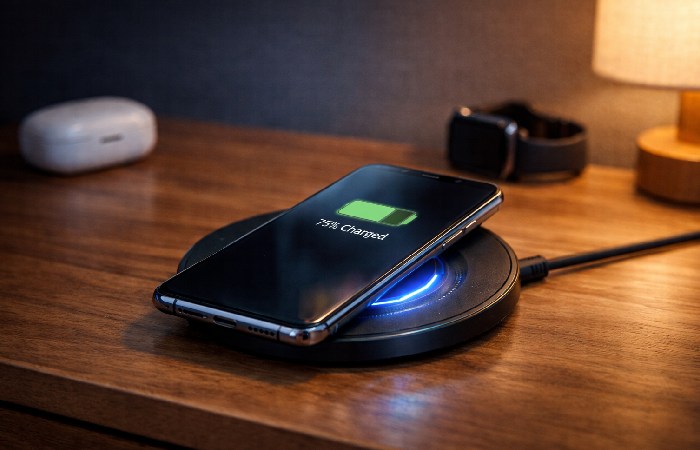
Wireless Charging & Qi2: Clear Guide for Phone Users
Wireless charging promises “drop it and forget it” convenience, but without understanding Qi, Qi2, phone compatibility, and case limitations, most users end up with slow, unreliable charging—this guide explains the tech in plain language and gives clear steps, setups, and fixes so your wireless charger actually works the way it’s supposed to.
Table of Contents
Wireless Charging Explained: Is It Right for You?
Can you really charge your phone just by placing it on a pad? Does it work through cases? Why won’t some “compatible” phones charge wirelessly? And is the new Qi2 standard actually better than regular wireless charging?
Wireless charging is now standard on most flagship smartphones, but there’s still confusion about how it works, which phones support it, how cases affect it, and when it’s better (or worse) than a cable. This guide breaks it down in plain language with compatibility info, practical recommendations, and troubleshooting.
Quick Guide: Is Wireless Charging Right for You?
| Your Situation | Wireless Charging Fit | Recommended Type | Key Consideration |
|---|---|---|---|
| iPhone 12 or newer | Excellent | Qi2/MagSafe charger | Magnetic alignment ensures proper placement |
| Samsung Galaxy S21 or newer | Excellent | Qi/Qi2 15W fast charger | Supports faster wireless charging speeds |
| Older Android (pre‑2018) | Maybe | Basic Qi charger (5–10W) | Many older/budget models lack wireless charging |
| Thick phone case (>3 mm) | Unreliable | Remove or thin case | Distance and thickness reduce coil coupling |
| Metal or magnetic plate case | Won’t work | Switch to non‑metal case | Metal blocks the magnetic field |
| Need absolute fastest charge | Poor fit | Use wired USB‑C PD/Fast Charge | Wired is typically 2–3× faster |
| Desk/nightstand charging | Great | Wireless charging stand | Ideal for frequent pick‑up/put‑down |
| Charging multiple devices | Great | Multi‑device charging mat | Phone + watch + earbuds together |
What Is Wireless Charging?
Wireless charging transfers power from a charging pad to your device without plugging a cable into the phone. Instead, both charger and phone use copper coils and an electromagnetic field to move energy across a small air gap.
Most phones use the Qi standard (pronounced “chee”), created by the Wireless Power Consortium (WPC). The newer Qi2 standard adds magnetic alignment and higher power profiles, enabling faster, more efficient charging on compatible devices.
Key points:
-
No cable into the phone – you lay it on a pad or stand.
-
Requires a Qi‑compatible phone and a Qi/Qi2‑certified charger.
-
Works through most thin, non‑metal cases.
-
Slower and slightly less efficient than wired charging, but more convenient on desks and nightstands.
-
Typical speeds:
-
Qi: 5W, 7.5W, 10W, 15W
-
Qi2: up to 25W on supported devices and chargers.
-
How Wireless Charging Works (In Simple Terms)
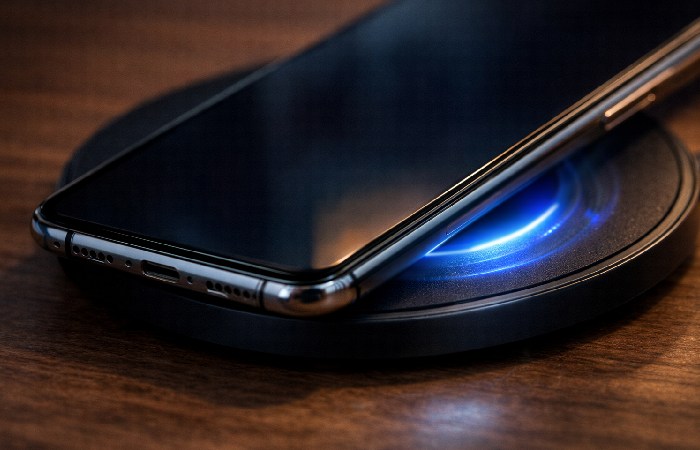
Wireless charging uses electromagnetic induction:
-
Charging pad creates a magnetic field
-
A copper coil inside the pad is powered by your wall adapter.
-
Alternating current in the coil generates an oscillating magnetic field.
-
-
Your phone’s coil picks up energy
-
Your phone has a receiver coil, usually centered on the back.
-
When you place the phone on the pad, the coil sits inside that magnetic field.
-
-
Energy is converted to battery charge
-
The changing magnetic field induces current in the phone’s coil (Faraday’s law).
-
The phone’s electronics convert that AC into DC and feed it to the battery.
-
Why alignment matters
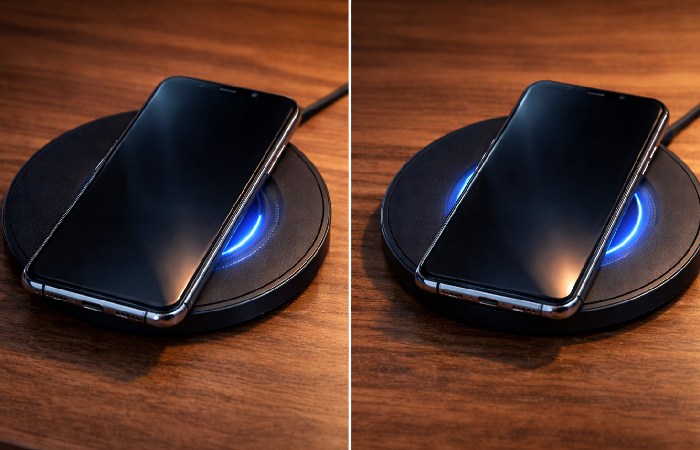
Wireless power only transfers efficiently when the coils line up:
-
If misaligned, efficiency drops and heat increases.
-
Qi2 and MagSafe add magnets so the phone “snaps” into the right spot automatically, boosting consistency and reducing energy loss.
-
Flat pads require more careful placement than stands or magnetic chargers.
Wireless Charging Standards: Qi, Qi2, MagSafe & NFC
Qi (up to 15W)
-
Open standard from the Wireless Power Consortium.
-
Supported by most major phone brands.
-
Power profiles commonly up to 15W for phones (some proprietary extensions go higher).
-
Requires good physical alignment, but no magnets are built into the standard.
Qi2 (up to 25W)
-
New evolution of Qi with magnetic alignment and higher power support.
-
Based on the same magnetic profile Apple uses for MagSafe, now opened into the standard.
-
Qi2 25W products bring up to 25W wireless charging and better efficiency on certified devices.
-
Backward‑compatible with older Qi devices (they just charge at their supported wattage).
Practical takeaway:
-
If you’re buying a new charger in 2025+, look for Qi2‑certified gear for future‑proofing.
MagSafe (Apple proprietary layer on top of Qi)
-
Introduced with iPhone 12.
-
Uses magnets for alignment + Qi wireless charging.
-
Up to 15W wireless charging on iPhones that support it.
-
Qi2 essentially generalizes this idea for Android and other devices.
NFC Wireless Charging (up to ~1W)
-
Uses Near Field Communication for very low‑power wireless charging.
-
Mostly for tiny devices like earbuds cases, fitness trackers, or smart cards.
-
Not meant for smartphones.
Which Phones Support Wireless Charging?
iPhone
All iPhones from iPhone 8 (2017) onward support Qi wireless charging.
-
iPhone 8–11
-
Qi wireless charging (around 7.5W on many chargers).
-
No MagSafe magnets (manual alignment only).
-
-
iPhone 12–15
-
Qi + MagSafe (magnetic).
-
Up to 15W with MagSafe; 7.5W on standard Qi.
-
-
Newer iPhones (e.g., iPhone 16 series and onward)
-
Designed to work with Qi2 25W on supported chargers, subject to Apple’s implementation and software limits.
-
iPhone 7 and older: No built‑in wireless charging; you’d need a special case or receiver adapter.
Samsung Galaxy & Major Android Devices
Most flagship and upper‑midrange Android phones from around 2017 onwards support Qi wireless charging:
-
Samsung Galaxy S series:
-
S6 and newer flagships typically support Qi.
-
Recent S21–S24 devices support up to ~15W wireless charging with Samsung‑approved chargers.
-
-
Samsung Galaxy Z Fold / Flip series:
-
Fold and Flip generations from recent years support Qi wireless charging.
-
-
Google Pixel:
-
Pixel 3 and newer (Pixel 3/4/5/6/7/8/9) support Qi wireless charging, usually in the 10–15W range depending on charger and model.
-
-
Other brands (OnePlus, Xiaomi, etc.):
-
Many flagships and some mid‑rang e devices from 2020+ offer 10–30W wireless charging using Qi or proprietary enhancements.
-
Budget Android phones (especially under ~$300) often skip wireless charging to save cost.
-
Because models and wattages change quickly, the safest approach is:
-
Check your phone’s official spec page for “Qi wireless charging” or “wireless charging supported.”
How to Check If Your Phone Supports Wireless Charging
Use one or more of these methods:
1. Check specs online
-
-
Search:
"[your phone model] wireless charging" -
Confirm on the manufacturer’s official product page.
-
2. Look at the back design
-
-
Glass or plastic backs often indicate room for a coil.
-
Full metal backs usually block wireless charging coils.
-
3. Test with a known Qi charger
-
-
Place your phone on a friend’s Qi pad.
-
If it charges, you’re set.
-
4. Settings hint (Android)
-
-
Some Android phones include a “Wireless charging” or “Fast wireless charging” toggle in Settings > Battery.
-
If that toggle exists, your phone supports it.
-
Does Wireless Charging Work Through Phone Cases?
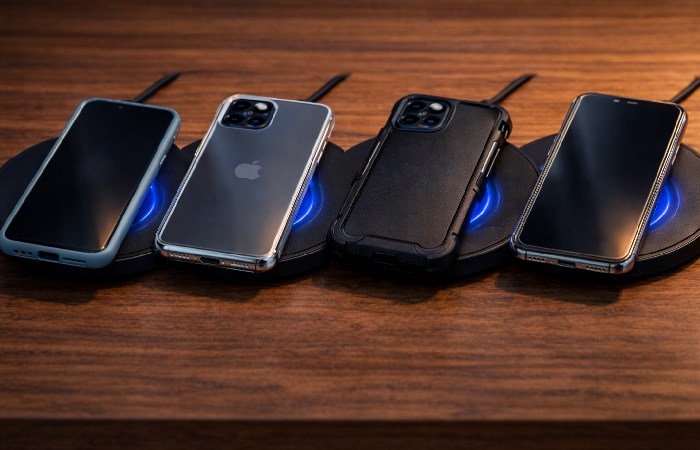
Short answer: Yes, through most thin, non‑metal cases. Problems start with metal and thickness.
Case materials that usually work
-
Thin silicone, TPU, or plastic cases.
-
Most official and third‑party MagSafe cases (for iPhone 12+).
-
Thin leather cases and clear cases.
Accessory makers and wireless‑charging vendors generally recommend cases under ~3 mm for reliable performance.
Case types that often cause problems
-
Metal cases or cases with metal plates for magnetic car mounts.
-
Very thick, rugged cases (especially over ~5 mm).
-
Wallet cases stuffed with multiple cards.
-
Cases with metal kickstands or heavily reinforced backplates.
When thickness or metal increases the gap or disrupts the field, efficiency drops and charging may slow drastically or fail entirely.
Practical rule:
-
If your case is thin and non‑metal, wireless charging will likely work.
-
If you have a rugged/metal/magnetic case, either remove it for charging or switch to a wireless‑compatible design.
Best Types of Wireless Chargers (By Use Case)
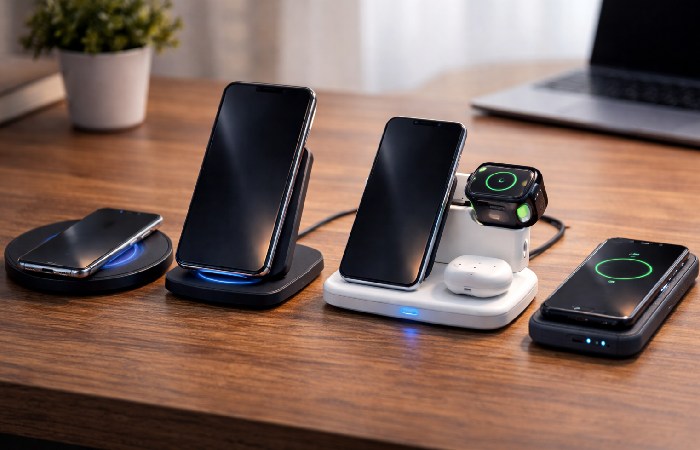
You don’t need specific model names to choose well; focus on type, wattage, and certification.
For iPhone 12 and Newer: MagSafe / Qi2 Chargers
-
Why: Magnetic alignment removes placement headaches and ensures consistent speed.
-
Look for:
-
MagSafe or Qi2 certification.
-
15W or higher rating for iPhones.
-
-
Best scenarios: Nightstand, desk, or anywhere you set your phone down often.
For Samsung / Android Flagships: Qi Fast Charging Pads
-
Why: Many support up to around 15W wireless; you should match that to get the benefit.
-
Look for:
-
Qi certification.
-
10–15W output supported.
-
Optional cooling fan if you regularly fast‑charge.
-
For Desk / Nightstand: Wireless Charging Stands
-
Why: Easier to see notifications, join calls, or use Face ID while charging.
-
Features to consider:
-
Angled stand.
-
Portrait and landscape support.
-
Non‑slip base.
-
For Multiple Devices: 2‑in‑1 or 3‑in‑1 Stations
-
Why: Charge phone + watch + earbuds together.
-
Look for:
-
Qi or Qi2 certification.
-
Clearly separated charging zones.
-
Apple Watch‑compatible puck if you’re in the Apple ecosystem.
-
For Travel: Wireless Charging Power Banks
-
Why: Cable‑free top‑ups on the go.
-
Keep in mind:
-
Wireless output is usually 5–10W and less efficient.
-
Wired charging from the same power bank is faster and wastes less energy. For stationary charging at home or office, consider a dedicated USB charging station that can power multiple devices simultaneously.
-
Budget Pads
-
Basic Qi pads (10W) from reputable brands are fine for overnight or desk use.
-
Avoid ultra‑cheap, uncertified chargers – they may overheat or fail to detect foreign objects properly.
Troubleshooting: Common Wireless Charging Problems
1. Phone Not Charging at All
Check these in order:
-
Compatibility:
-
Confirm your phone actually supports Qi.
-
-
Case issues:
-
Remove the case; if it now charges, the case is too thick or contains metal.
-
-
Alignment:
-
Center the phone on the pad; slide it slightly until you see the charging icon.
-
-
Charger power:
-
Verify the pad is plugged in and the wall adapter is working.
-
-
Hardware problems:
-
Try another cable, adapter, or charger.
-
If nothing works, either the pad or your phone’s coil may be faulty.
-
2. Charging is Very Slow
Wireless charging is generally slower than wired, but if it feels unusually slow:
-
Check charger wattage:
-
5W is slow; 10–15W is more reasonable for phones.
-
-
Phone limits:
-
iPhones don’t take full speed from every pad; MagSafe is needed for 15W.
-
Some Android phones cap wireless speeds at 10–12W even if the pad supports more.
-
-
Heat/thermal throttling:
-
If the phone is hot, it will slow charging. Remove case, avoid gaming while charging, and use in a cooler environment.
-
-
Background activity:
-
Heavy usage (video, games, GPS) will slow net charging.
-
3. Phone Getting Too Hot
Moderate warmth is normal; very hot is not.
-
Remove thick or heat‑trapping cases.
-
Avoid using the phone heavily while charging.
-
Make sure the pad is in open air, not under a pillow or blanket.
-
Recheck alignment; misaligned coils waste energy as heat.
-
If you see repeated “Charging paused due to heat” warnings, try another charger or stop using that pad.
4. Charger Seems to Drain Battery Instead of Charging
That’s a red flag:
-
Stop using that charger immediately.
-
Remove any metal or cards from the pad area.
-
Test a different, certified Qi charger.
-
If your phone still behaves oddly, battery or coil may need inspection by a service center.
Short FAQ: Wireless Charging Basics
Q: What is wireless charging in simple terms?
A: It’s a way to charge your phone without plugging in a cable, using coils and a magnetic field (Qi standard) to transfer power from a pad to your phone’s battery.
Q: How do I use wireless charging?
A: Plug the wireless charger into a power adapter, place your Qi‑compatible phone centered on the pad or stand, and wait a few seconds for the charging icon. If nothing happens, adjust position or remove a thick/metal case.
Q: How do I know if my phone supports it?
A: Check your model’s official specs for “Qi wireless charging,” test on a known Qi pad, or see if it’s a flagship from roughly 2017 onward (iPhone 8+, most Galaxy S, Pixel 3+). If nothing happens on a working pad, it likely doesn’t support it.
Q: Does wireless charging damage my battery?
A: Used normally with certified chargers, it’s safe. It does generate a bit more heat than wired charging; over years, sustained high heat can accelerate battery wear, so avoid using hot, misaligned, or very cheap chargers. For best longevity, don’t let the phone get excessively hot while charging.
Q: Is wireless charging less efficient than wired?
A: Yes. Wired charging is usually more efficient, while wireless typically loses more energy as heat. For a single phone the cost difference is small, but if you care about efficiency or speed, wired is better for quick top‑ups.
Q: Does it work with all cases?
A: Most thin, non‑metal cases are fine. Thick rugged cases, metal plates, and stuffed wallet cases commonly break or weaken the connection. Aim for non‑metal cases under about 3 mm for the best results.
Q: Can I enable wireless charging with an app?
A: No. Wireless charging requires physical hardware (coils). Any app claiming to “activate wireless charging” on an unsupported phone is misleading. You’d need a receiver adapter or a phone upgrade.
Conclusion: When Wireless Charging Makes Sense
Wireless charging is not about speed; it’s about convenience. If your phone supports Qi or Qi2, a good pad or stand can make desk and nightstand charging much smoother and reduce wear on your charging port.
Use wireless charging if:
-
You mostly charge at your desk or nightstand.
-
You like to pick up and put down your phone frequently without managing cables.
-
You want to charge multiple devices (phone, watch, earbuds) on one station.
Prefer wired charging if:
-
You need the fastest possible charge (e.g., 30–65W+ wired fast charging).
-
You’re trying to maximize energy efficiency.
-
Your phone doesn’t support Qi and you don’t want bulky adapters.
The best approach for most people is hybrid: wireless on the desk or nightstand, wired when you need quick power. When choosing a charger, stick to Qi/Qi2‑certified products from reputable brands, match the wattage to your phone’s support, and avoid very thick or metal cases if you want reliable, hassle‑free wireless charging.